

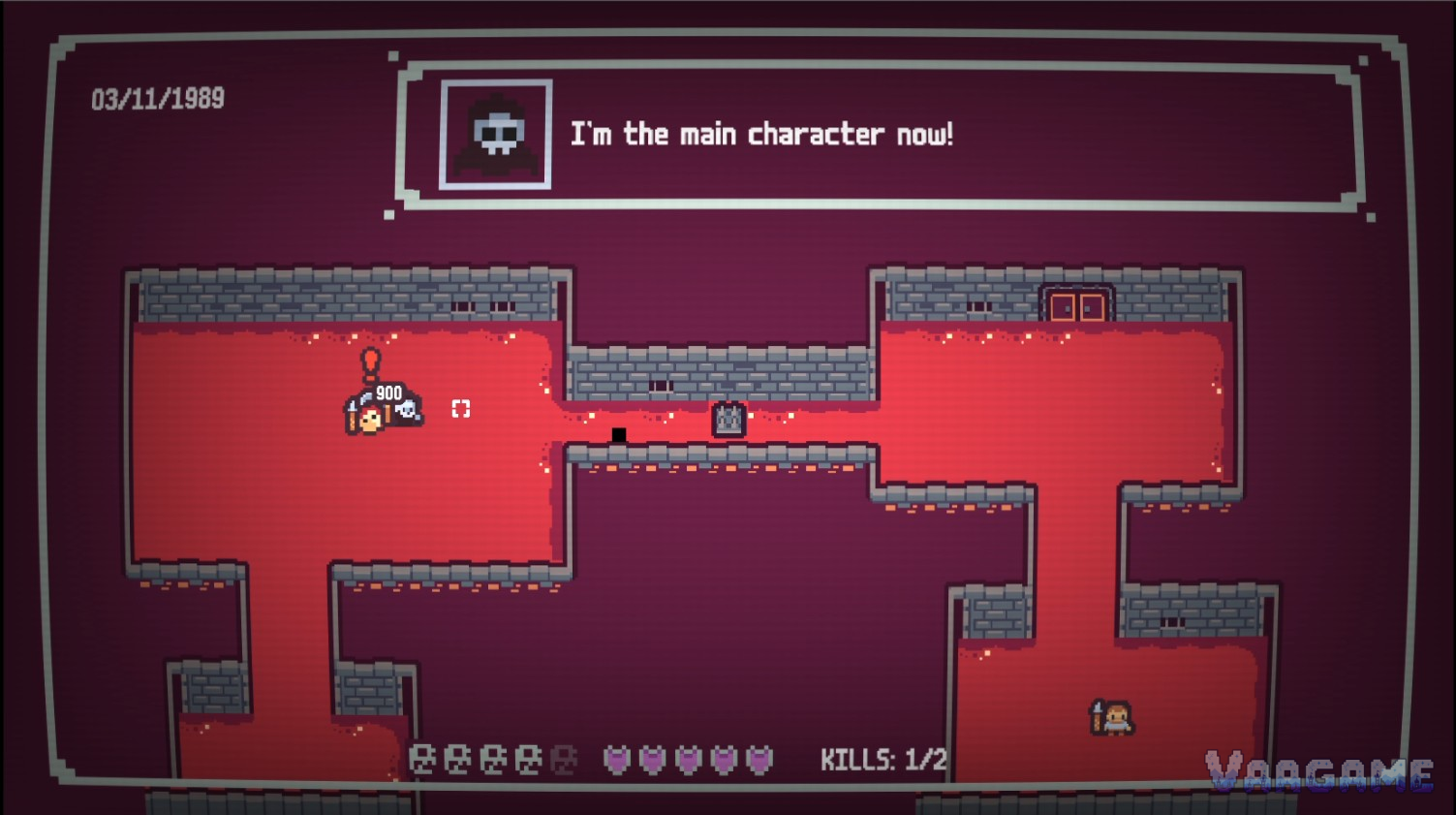
A jam developer spent about 12 to 15 hours building a loop game that worked beautifully in the Godot editor. Then he exported it to HTML, and the loop itself stopped working. Players died and nothing happened. That gap between editor and web build is the whole story.
At a glance
The game: err Friday by BLAZOWACHO, a wraith ruins a Friday night Dungeons and Dragons session, and death is meant to loop you into the next Friday night.
The source: the author's own GMTK Game Jam 2025 postmortem on itch.io, published August 6, 2025.
The symptoms in the web build: the death and resurrection loop did not work, and enemy AI got stuck in alert states, ignored the player, or behaved unpredictably.
A second web-only symptom: players saw both the game cursor and the system cursor, because Godot had hidden the system cursor during development.
What the postmortem does not give: no Godot version, no export setting, no browser, and no console error. The cause of the web-build failure is unpublished.
The documentation side: Godot 4.4 official docs on exporting for the web, including single-threaded export, thread headers, and the Progressive Web App workaround.
Last verified: October 28, 2026.
A loop game that stopped looping
The GMTK 2025 theme was loop, and the author built his whole concept around it. You play a wraith whose mission is to ruin a Friday night session by eliminating the player characters and finally the dungeon master, breaking an eternal loop. Death was part of the story: when your wraith was defeated, you would resurrect the following Friday night and try again. Enemy AI ran on a state machine with Default, Alert, Reaction, and Return states. The author built all of this in short sessions across a work week and a weekend, about 12 to 15 hours in total, and in the Godot editor everything worked. The state machines were responsive, the death and resurrection cycle functioned, and the game felt cohesive.
The web build told a different story. The loop mechanic that was supposed to be the heart of the experience did not function: players would die and nothing happened, with no resurrection and no narrative progression, leaving a broken game state. The enemy AI broke too, getting stuck in alert states, ignoring the player entirely, or behaving in completely unpredictable ways. On top of that, the most common player complaint was the cursor: during development Godot hid the system cursor, so the author never noticed the problem, but in the HTML build players saw both the game cursor and the system cursor at once, and movement felt wrong. The author called the submission a barely functional tech demo, and wrote the postmortem instead of hiding it.
What the author actually blamed, and what he did not claim
The author's first lesson is the one he states himself: test your target platform early and often. He developed entirely in the Godot editor and only tested the HTML export at the very end, and he calls that a rookie mistake he will not repeat. His 7-step recovery plan is a list of game-logic fixes, and that distinction matters. Step one is repairing progression, with proper saving and loading of game state between Friday nights and narrative progression that persists across deaths. Step two is rebuilding the AI, with range detection, buffer frames in the alert state, and fallback behaviors for edge cases. Later steps cover pathfinding in tight spaces and several cursor-hiding methods for web builds. Nothing in the plan is a change to export settings, a header, or a thread toggle.
That is why this article does not name a root cause for the web-build failure. The postmortem gives no Godot version, no thread or extension setting, no browser, and no console error, so blaming cross-origin headers or thread support would be inventing a diagnosis. The official documentation is still useful, but only as general background, clearly separated from this case. Since Godot 4.3, single-threaded export is the preferred and default way to export for the web, and it is more compatible with stores like itch.io. Thread support and extension support require cross-origin isolation headers, namely Cross-Origin-Opener-Policy set to same-origin and Cross-Origin-Embedder-Policy set to require-corp, or the Progressive Web App service-worker workaround when you cannot control the server headers, always over a secure HTTPS context. Web exports also run only on the Compatibility renderer with WebGL 2.0, Godot 4 C# projects currently cannot be exported to the web, and the docs suggest opening the browser developer console to read JavaScript, engine, and WebGL errors.
What to reuse: a pre-submission web routine, not the author fix
The checklist below comes from the documentation and from the author stated lesson, not from the author recovery plan, and it is not presented as the fix for err Friday. Its purpose is narrower: make sure a web build gets played, end to end, on its real hosting, before submission night, so that a broken loop is found by you instead of by your players.
What to do Monday morning
Export to the real hosting on day one, and play that hosted build, not just the editor. A build that only ever ran in the editor has not been tested.
Play the full loop in the browser: die once on purpose, and confirm resurrection and narrative progression actually happen.
Drive every AI state in the browser: get spotted, break contact, and confirm the enemy returns to its default state instead of freezing in alert.
Check the cursor in the browser: one visible cursor, and movement that feels right. The editor can hide a cursor problem you will only see on the web.
Decide on threads deliberately. Leave thread support off unless you need it. If you turn it on, confirm the two cross-origin headers are served, or enable the Progressive Web App workaround, over HTTPS.
Keep the browser console open during the web playtest, and test in a Chromium browser or Firefox. The docs note Safari has several WebGL 2.0 issues other browsers do not.