

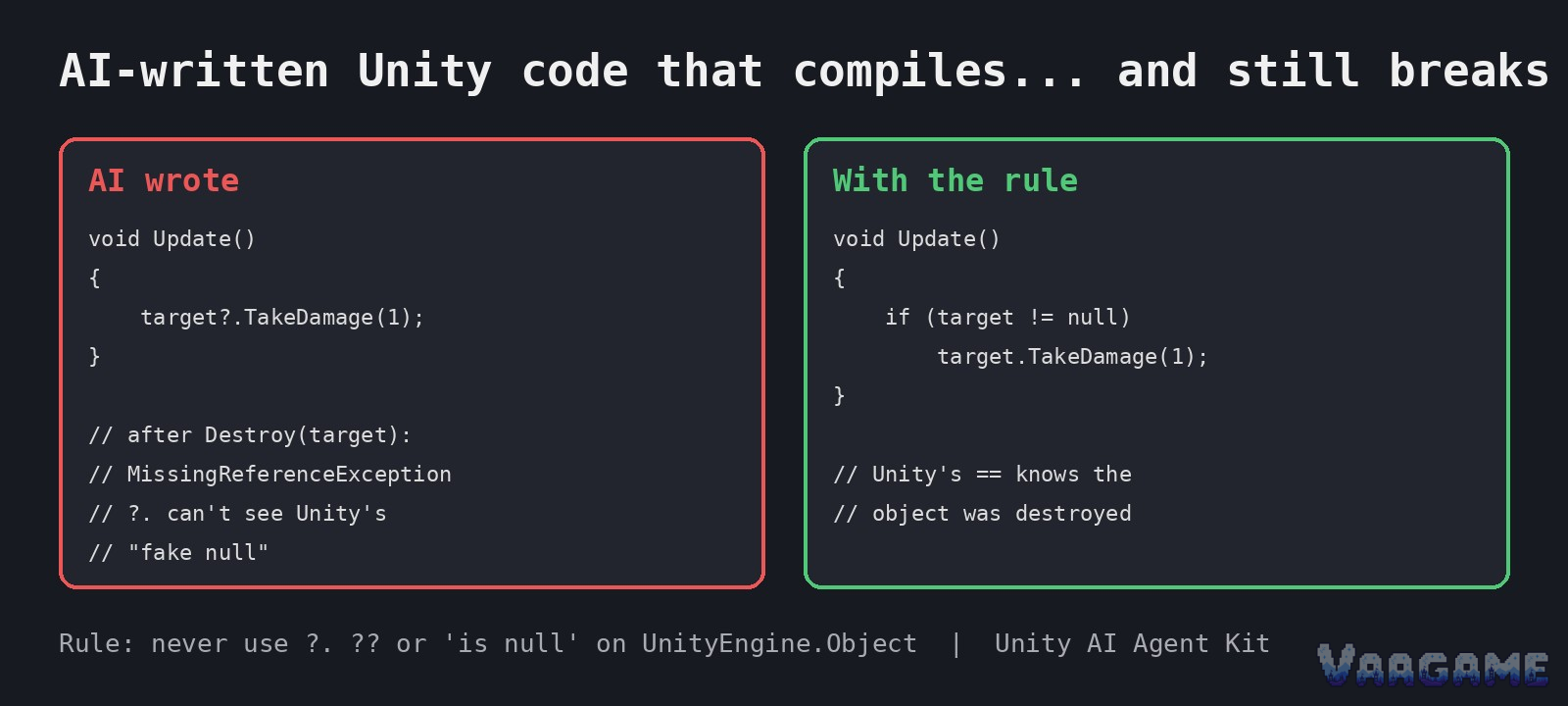
The AI says done, the code compiles, and the bug shows up later in play mode. That is the specific shape of AI-assisted Unity failure: the compiler catches the embarrassing mistakes and waves through the quiet ones. Three checks catch most of them.
At a glance
The sources: John Van Scoyoc devlogs on itch.io, October 16 and October 25, 2026, plus Unity 6 official docs: UnityEngine.Object (6000.5) and FormerlySerializedAsAttribute (6000.6).
The framing: developer observations with documented examples, not a single project postmortem. No game or team is named as having shipped these bugs.
Disclosure: the devlog author also sells a Unity AI Agent Kit built around these rules. The rules below are checked against Unity docs where a doc exists.
The loud one: invented APIs. GameObject.FindByTag, Rigidbody.AddVelocity, and transform.GetChildByName do not exist, per the devlog. The compiler catches these.
The silent two: fake null on destroyed objects, and renamed serialized fields that quietly return to default values.
Version note: checked against Unity 6 documentation (6000.x) on October 28,
2026. No specific patch number is claimed.
Last verified: October 28, 2026.
The loud one first: APIs the AI invented
The October 16 devlog lists three invented names as its example: GameObject.FindByTag, Rigidbody.AddVelocity, and transform.GetChildByName. The devlog states plainly that they do not exist, and its fix is a rule rather than a code patch: tell the agent to use only documented APIs, and to say it is not sure instead of guessing. This failure is annoying rather than dangerous, because it breaks the build where you can see it. The danger is the workflow around it: if you accept AI output without compiling, an invented name can sit in a file you believe is finished, and if you paste a fix from the same assistant without checking the docs, you can trade one invented name for another.
The silent failures work the other way: they compile, and the game runs until the exact wrong moment. The first is fake null. Unity documentation for UnityEngine.Object explains that an instance whose native counterpart was destroyed before the managed object was garbage collected can sit in a detached state. In that state the object still compares equal to null through Unity custom equality operators, yet it is not truly null: Object.ReferenceEquals against null returns false, and the object cannot be used to call methods or access properties. The same docs page states that the null-conditional operator and the null-coalescing operator are not supported with Unity objects, because they cannot be overridden to treat detached objects the same as null, and are only safe when the checked objects are guaranteed never to be detached.
The second silent one: a rename that resets your tuning
The October 25 devlog gives the rename example in full. The AI is asked to clean up a script and renames a serialized speed field to moveSpeed. Unity stores inspector values by field name, so the devlog says every prefab and scene that had speed tuned to 7.5 quietly goes back to the default of
5. Nothing errors, and the developer finds out days later, when the game feels off. Treat the 7.5-to-5 numbers as the author example, not as a Unity documentation claim: the documented part is the mechanism and the fix. The FormerlySerializedAsAttribute documentation states its purpose in one line: use this attribute to rename a field without losing its serialized value. It is an editor-only attribute, it takes the old field name, and the docs example renames hitpoints to health while keeping the value. Public variables serialize by default, and private variables need the SerializeField attribute.
The devlog also names the third silent pattern in the same post, subscribing to events without unsubscribing, but this article keeps its scope to the three checks in the title and leaves that pattern for another day. The shared lesson across all three is about review order. Compile errors are reviewed by the compiler for free. Silent bugs are reviewed only if you look for them, so the checklist below is ordered by silence: fake null first, renames second, invented names third, because the third one at least shouts.
What to reuse
None of the steps below are presented as the devlog author fix for a shipped game, because no shipped game is named. They are the review rules that follow from the documentation and the devlog examples, written so they can be applied to your own project on Monday morning without touching anyone else code.
What to do Monday morning
Search every AI-written diff for null-conditional, null-coalescing, and is-null checks on UnityEngine.Object references. Replace them with Unity equality checks, such as if (target != null) or if (target).
Compile, then docs-check every unfamiliar API name in AI output before trusting it. An invented name is a rule failure, not a typo: add a rule that the agent must say it is unsure instead of guessing.
Every rename of a serialized field gets FormerlySerializedAs with the old name, plus the UnityEngine.Serialization namespace. No exceptions for cleanup renames.
After a rename, open one tuned prefab or scene and confirm its tuned value survived. A rename that passed compilation but reset a value is exactly the silent failure to catch.
Write the three rules into a rule file your assistant reads on every request, such as a Cursor rules file, CLAUDE.md, or AGENTS.md. Re-prompting every chat is the failure mode the devlog warns about.
Treat a passing compile as the start of testing, not as done. Exercise the destroyed-object paths in play mode, because that is where fake null actually fires.