

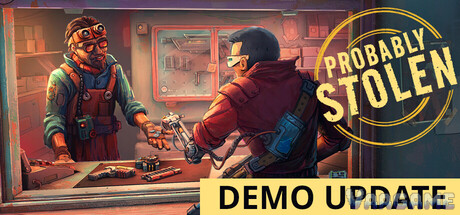
Probably Stolen is a cyberpunk shopkeeper sim from Questing Goose Studio and tinyBuild, launching October 28, 2026 — and its free demo was the most-played demo of this month's Steam Next Fest. You play a former scavenger who took over a space-station shop with borrowed money. The pitch is simple: judge goods, judge people, and earn enough to buy the store before the rent buries you. This guide covers how the game actually plays, based on the demo you can play right now.
At a glance
Swipe horizontally to view all columns.
| Item | Detail |
|---|---|
Developer / Publisher | Questing Goose Studio / tinyBuild |
Release date | October 28, 2026 (demo available now, free) |
Price | Not announced yet |
Players | Single-player, mouse-only friendly |
Demo reception | 98.1% positive across 2,039 Steam reviews (checked October 22) |
Full-game languages | 8, including Simplified Chinese |
1. The core loop: buy low, sell honest (or don't)
Your day is a queue of customers at the negotiation counter. Suppliers walk in offering goods; buyers walk in wanting them. Between the two, everything is your judgment call. Suppliers inflate what their goods are worth, buyers push for more than they should get, and some items only reveal their problems after the money has changed hands.
The counter interface breaks into a few pieces worth learning on day one: the negotiation counter itself, the display case (which sells goods on its own while you handle the counter), the telephone, your reputation interface, and the sleeping bag that ends the day. The game autosaves after you sleep, and the overlay above — press the hint key in the demo — labels all of it.
2. Your four answers to every customer
Every negotiation resolves into one of four responses, and the game is blunt about it: someone is always keeping score.
Accept — the deal goes through at the agreed terms.
Refuse — no deal; the customer leaves and the next one steps up.
Report — hand the matter to Security. The Model Citizen perk pays a credit bonus for reporting criminal customers.
Look away — let something questionable slide. Fast money sometimes; a record you cannot erase other times.
Hovering any item shows its estimated value and base value, which is your anchor in every negotiation. When the two numbers on an offer look wrong, they usually are — inspection and haggling have their own guides in this column once you have the basics down.
3. Rent is the real opponent
The shop runs on a loan, and rent climbs over time on its own schedule — your good or bad week does not change the bill. Miss the money and the consequences stack: the store loses attractiveness, fewer customers come in, revenue drops, and the hole gets deeper. The escape hatch players reach for is riskier trading, which is exactly the trap the game is built around.
The sign above your counter counts this down in plain language — "Rent in 6 days," then "Rent due tomorrow." Treat that sign as your health bar. If rent is close and cash is short, sell safe, sell fast, and do not gamble on a big-ticket item that might get confiscated, fail inspection, or simply not sell.
4. After hours: the Dumping Grounds
Closing the store does not end your day. The Mentor's Notes — the game's tutorial letters — devote a whole page to after-hours activity: you can visit locations around the sector, and the Dumping Grounds let you scavenge for stock you would otherwise pay for.
The scavenging screen itself posts the risk before you commit: a 10% chance of a minor wound and a 2.25% chance of a major one per attempt, before modifiers — a flashlight lowers the odds. Carry capacity matters too: without a backpack you bring back very little, the Mentor advises carrying a bandage, and a bad injury keeps you indoors for days. Free stock is only free if you walk away intact.
5. Stock, storage, and the display case
Everything physical lives in grid inventories that you arrange by hand — the demo supports drag-box multi-select, item rotation, and right-click sorting, and your toolbox (bought from Dr. Jackson after day
14) binds your tools to the number keys. Goods in the display case sell automatically to browsing buyers, which makes the case your second income stream while the counter has your attention.
Perishables live in powered storage — the fridge splits into chill and freeze zones — and unpowered or wrongly stored goods are a quiet way to lose money. When a customer's offer involves food or drink, check where it has been sitting before you argue about the price.
6. Your first week, in order
1. Take the Apprentice start. Starting perks are locked on your first run by design; the game wants you learning the counter, not optimizing a build.
2. Learn the four answers on cheap goods. Mistakes on low-value trades are tuition; the same mistake on a rare item is a rent payment.
3. Watch the rent sign, not your balance. Cash on hand means nothing if the due date arrives first.
4. Scavenge on quiet nights, with a bandage. Early stock you find is stock you did not borrow to buy.
5. Fill the display case before chasing big deals. Automatic sales smooth out the days when the counter queue is all lowballers.
7. Demo, saves, and the October 28 launch
The demo carries three starting scenarios plus a hardcore mode, and it leaves Steam when the full game launches on October
28. Demo saves are compatible with the full release — but the developers strongly recommend starting fresh to avoid potential bugs, and demo mods are unlikely to survive the transition. The full game adds six more starting scenarios (nine in total), four difficulty options, vending machines that sell overnight, Steam Workshop support, and 21 achievements; the price has not been announced.
Everything in this guide was checked against the demo build (Update 049). Where the full game changes a system at launch, this column will update the page — the systems most likely to move are scenarios and difficulty, which get their own guide here.
FAQ
Is Probably Stolen playable with only a mouse?
Yes. The store page lists a mouse-only option and play without timed input, and the whole counter workflow — inspecting, haggling, inventory — is mouse-driven.
How much will Probably Stolen cost?
The price has not been announced as of October
22. Anyone quoting a figure before the store page does is guessing.
Should I keep my demo save for the full game?
You can — demo saves are compatible — but the developers recommend a fresh start to avoid potential bugs, and starting perks only unlock from your second run onward anyway.
Is there multiplayer or controller support?
No. The game is single-player, and the store page lists no controller support; it is built around mouse input.