

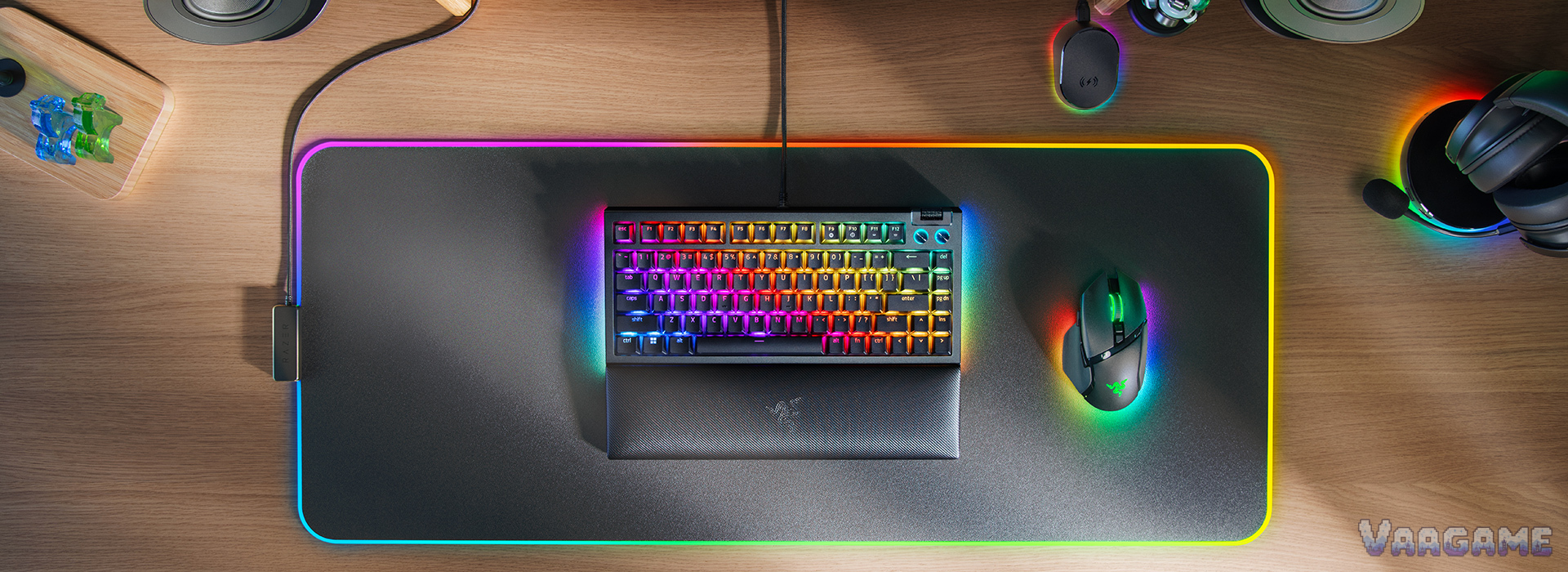
At the $115.50 tracker price, the black Razer BlackWidow V4 75% is worth buying for one kind of buyer: a typist or gamer who wants a great-feeling stock keyboard, wants hot-swappable switches to play with later, and will test every key hard during the return window. For that buyer, $115.50 sits $48.24 below the $163.74 tracker average and $74.49 below the $189.99 list price, while the gasket-mounted build, the factory-lubed stabilizers, and the quiet Orange tactile switches are exactly what owners and reviewers keep praising. It is not a blind buy at list price, it is not the keyboard for anyone who needs a number pad, and it is not a fit-and-forget purchase, because owner reports of double-typing on some units are too specific and too repeated to ignore. Buy it discounted, from a seller with an easy return, and run the two-week key test in section 7 before you decide to keep it.
Method note: this is a reputation review, not a hands-on test. It synthesizes the pricehistory.app tracker page for the black listing (6.6 out of 10 from 494 ratings, checked November 1, 2026), Best Buy owner text reviews for the black 75% model, Razer Insider forum threads about double-typing on the BlackWidow V4 family including a thread specific to the V4 75%, and independent reviews from TweakTown (92 percent), Tom's Guide, How-To Geek, Windows Central, and Trusted Reviews, plus the Razer official product page and master guide for specifications. The tracker 6.6 out of 10 is a tracker-converted score, not an Amazon star rating, and it is never added to any other count. No BlackWidow V4 75% specific Reddit main thread was verified for this review, and that gap is stated plainly rather than filled with threads about other keyboards; the community discussion here comes from Razer Insider forum threads and Best Buy owner reviews. No star-distribution percentages were counted, so none are given. Separate listings are never summed: the white model (tracker price $129.99, average $168.64), the wireless Pro 75% model ($229.99), the Phantom colorways, the low-profile TKL models, and the full-size V4 models are different listings with their own prices and samples. Every price and sample figure below is for the black wired 75% model, model RZ03-05000200-R3U1, ASIN B0CCFY349S, only. This review was not given a unit by Razer, and no hands-on claim is made anywhere in it.
This guide contains affiliate links. If you buy through them, Vaagame may earn a commission at no extra cost to you.
Quick answer
Verdict: buy at the $115.50 tracker price only if you will test every key in the return window; skip it at $189.99 list price
Praised: quiet Orange tactile switches with a full sound, gasket-mounted build with two foam layers, easy hot-swapping, magnetic wrist rest, and per-key plus underglow RGB
Complained about: double-typing on some units, ABS keycaps instead of PBT, wired only, Synapse dependence, and a warranty that does not cover internal modification damage
Setup reality: install Synapse, set the polling rate, leave Snap Tap off unless you play competitive shooters, and only open the case if you accept the warranty trade-off
Price rule: under $100 is a strong buy; $115.50 is fair for a mod-curious buyer; over $150 is a wait, because this board has visited $76.00 and $102.45
At a glance
Product: Razer BlackWidow V4 75% mechanical gaming keyboard, black, Orange Tactile Gen-3 switches, model RZ03-05000200-R3U1, ASIN B0CCFY349S (wired model, not the wireless Pro 75%)
Layout: 75% with function row and arrow keys, plus Delete, Page Up, Page Down, and Insert; no number pad
Switches: Razer Orange Tactile Mechanical Switches Gen-3, pre-lubed with Krytox GPL 205g0, hot-swappable with 3-pin or 5-pin switches
Build: 5052 aluminum alloy top case, ABS bottom case, gasket-mounted FR4 plate, tape-enhanced PCB, two layers of sound-dampening foam, factory-lubed plate-mounted stabilizers with screw-in stabilizer support
Polling and rollover: up to 8,000 Hz polling rate, N-key rollover and anti-ghosting, up to 5 onboard profiles
Controls and lighting: multi-function roller and 2 media keys, per-key Razer Chroma RGB plus 2-side underglow, magnetic plush leatherette wrist rest, detachable USB-C cable
Size and weight: 321 x 155.5 x 24 mm, 815 g without wrist rest, 986 g with wrist rest (Razer master guide)
Owner sample: tracker 6.6 out of 10 from 494 ratings for the black listing (pricehistory.app, November 1, 2026, tracker-converted, not stars), plus Best Buy black 75% owner reviews, Razer Insider forum threads, and five independent reviews
Price (November 1, 2026, tracker-checked): $115.50 in stock, $163.74 tracker average, $76.00 tracker low (August 22, 2026), $189.99 list price
Last verified: November 1, 2026
Specifications (Razer official)
Swipe horizontally to view all columns.
| Spec | BlackWidow V4 75% (black) |
|---|---|
Switch | Razer Orange Tactile Mechanical Switches Gen-3, quiet actuation with a tactile bump, factory-lubed |
Actuation and travel | 2.0 mm actuation, 50 g actuation force, 3.5 mm total travel (review-measured spec, consistent across TweakTown and Tom's Guide) |
Layout | 75% with function row and arrow keys, Delete, Page Up, Page Down, Insert; no number pad |
Hot-swap | Socketed PCB accepts 3-pin and 5-pin switches; 2-in-1 keycap and switch puller included |
Case and plate | 5052 aluminum alloy top case, ABS bottom case, gasket-mounted FR4 plate, tape-enhanced PCB, two foam layers |
Stabilizers | Factory-lubed plate-mounted stabilizers; PCB has holes for screw-in stabilizer swaps (disassembly required) |
Keycaps | Doubleshot ABS keycaps |
Polling and memory | Up to 8,000 Hz; N-key rollover and anti-ghosting; hybrid onboard storage for up to 5 profiles |
Controls | Multi-function roller, 2 media keys, on-the-fly macro record key, gaming mode key |
Lighting and rest | Per-key Razer Chroma RGB plus 2-side underglow; magnetic plush leatherette wrist rest |
Connectivity | Wired only, detachable USB Type-A to Type-C braided cable; no wireless, no passthrough |
Size and weight | 321 x 155.5 x 24 mm; 815 g without wrist rest, 986 g with wrist rest |
Software | Razer Synapse enabled; Snap Tap supported via Synapse 4, off by default |
1. The verdict: a board reviewers love to type on, and owners warn you to test
Buy the black BlackWidow V4 75% if you type a lot, game with a compact board, and like the idea of a keyboard you can change later without soldering. What you get for $115.50 is a board that reviewers describe in unusually warm terms: TweakTown scores it 92 percent and calls it an excellent entry point into DIY keyboard modding, Tom's Guide calls it arguably the best mechanical keyboard Razer has ever released, and Windows Central says the stock Orange setup felt great while typing an entire review. The reason is not one feature, it is the stack: a gasket-mounted plate and two foam layers give the board a full, balanced sound out of the box, the Orange tactile switches are quiet without feeling mushy, the factory-lubed stabilizers keep the spacebar from rattling on day one, and the magnetic wrist rest makes long sessions comfortable. Skip it if you need a number pad, because a 75% board will never grow one, and skip it at $189.99, because $115.50 is already a fair price for a board with a documented reliability question, while $189.99 is a premium price that assumes no question at all. Skip it as a fit-and-forget purchase if you never want to open a keyboard: the double-typing reports in section 6 are the reason this review ties its verdict to a return-window test, and a buyer who cannot return easily should not buy this board first. The honest middle case is a mod-curious buyer with a trusted return policy: discounted and tested for two weeks, the reputation holds, and the board is genuinely hard to beat for stock feel; at full price and untested, it is not.
For heavy typists: quiet tactile switches, a full sound, and a wrist rest that reviewers keep calling comfortable
For mod-curious gamers: hot-swappable 3-pin and 5-pin sockets, a puller in the box, and screw-in stabilizer support for later
For compact-desk players: a 75% layout keeps the function row and arrows while freeing mouse space
For RGB lovers: per-key lighting plus a 2-side underglow that owners praise as vivid without being harsh
Not for number-pad users: spreadsheets and data entry lose the pad entirely, and no software setting brings it back
Not for wireless-only desks: this model is wired only, and the wireless version is the separate, pricier Pro 75%
Not for never-open-a-keyboard buyers without a return policy: the double-typing risk in section 6 needs a test window
2. What owners and reviewers keep praising
Typing feel and sound are the praise that shows up first, and reviewers give it in comparison terms rather than adjectives. One long-form review calls the Orange tactile switches shockingly nice, with a large rounded bump that occupies most of the travel and feels more distinct than a Cherry MX Brown, while another says the board sounds better than 99 percent of conventional gaming keyboards, and a third calls the Orange switches the most satisfying sound profile of any keyboard its author had used. The build stack is why: a gasket-mounted FR4 plate, a tape-enhanced PCB, and two foam layers are enthusiast parts that Razer put in a mass-market board, and reviewers credit them directly for the light, balanced keystrokes. Hot-swapping is the second praise, and it is a structural praise rather than a gimmick praise: Razer first hot-swappable board accepts both 3-pin and 5-pin switches, the included 2-in-1 puller makes a swap a seconds-long job, and reviewers note that Razer sells its own Green clicky and Yellow linear switch sets for $24.99 if a buyer wants a different feel without leaving the Razer ecosystem. The wrist rest is the third praise, and it is unusually concrete: reviewers call it extra plush and incredibly comfortable, and the magnetic snap means it stays put during play instead of sliding away. The media controls are the fourth praise: a multi-function roller plus two media keys let a player pause, mute, and adjust volume without leaving the game, and Windows Central singles out the Hypershift remapping layer as unlocking almost endless shortcut options. The lighting is the fifth praise, with one qualification: per-key RGB plus a 2-side underglow is described as vivid and bright without being over the top, while the etched media keys themselves carry no RGB backlighting, which Windows Central lists as a reason to avoid for buyers who want every key lit.
3. What owners and reviewers keep complaining about
Double-typing is the complaint that tempers every other praise, and it gets its own full section as section
6. ABS keycaps are the second complaint, and they split reviewers rather than uniting them: TweakTown lists ABS instead of doubleshot PBT as a con, while other reviewers accept the doubleshot ABS as good enough for the price, so treat it as a materials ceiling rather than a defect, and note that a buyer who wants PBT will be shopping for a keycap set on top of the board. Wired-only is the third complaint, and it is a hard limit: this model has no wireless mode at all, so a buyer who wants a cable-free desk must pay for the separate Pro 75% wireless model instead of hoping a firmware update adds a radio. Synapse dependence is the fourth complaint: remapping, macros, lighting profiles, and Snap Tap all live in Razer Synapse, TweakTown says Synapse could use an overhaul, and a buyer on a locked-down work computer cannot reach the full feature set at all. The warranty tension is the fifth complaint, and it is the one that bites mod-curious buyers hardest: How-To Geek warns that customizing can void the two-year warranty, Trusted Reviews notes that any issue arising as soon as the board is opened voids the warranty, and Razer own FAQ states that warranty does not cover internal damage caused by modification, so the board that invites modding also punishes careless modding. Stabilizer rattle over time is the sixth complaint, stated carefully: one long-form review reports a slight rattle developing after a few weeks of constant use on its test unit despite factory lubrication, and another review notes stabilizer rattle outside the spacebar on enter and backspace, which means the factory lubrication is a good start rather than a permanent guarantee. Price at list is the seventh complaint: at $189.99 this board competes with boards that have PBT keycaps and wireless, so the list price only makes sense for a buyer who specifically wants the Razer hot-swap board, not for a buyer shopping on specs alone.
4. Setup and software: what owners actually go through
The board types the moment it is plugged in, and the fiddling starts the moment a buyer wants the lighting, the polling rate, and the profiles that justify the price. Here is the setup sequence, in order. First, plug in the detachable USB-C cable and snap on the magnetic wrist rest, because the board is 986 g with the rest attached and the desk position should be settled before any key testing. Second, install Razer Synapse when prompted, because remapping, macros, Chroma lighting, polling-rate changes, and Snap Tap all live in Synapse, and the board stores up to 5 profiles in hybrid onboard storage for use without Synapse later. Third, set the polling rate deliberately: the board supports up to 8,000 Hz, but owners report that high polling rates are only worth it on a strong PC, so start at 1,000 Hz for daily typing and step up only if the PC holds up. Fourth, leave Snap Tap off unless you play competitive shooters: Razer ships it off by default, it prioritizes the latest input between a pair of assigned keys for faster directional changes, and turning it on without understanding it changes how strafe keys behave. Fifth, test the stock Orange switches for a full week before buying replacement switches, because reviewers consistently say the stock feel is the point of this board, and a $24.99 Razer switch set is an easy purchase to regret if the stock switches were already right. Sixth, only open the case if you accept the warranty trade-off: the board comes apart with six screws underneath, the PCB has holes for screw-in stabilizers, but Razer states that warranty does not cover internal damage caused by modification, so a stabilizer swap is a deliberate decision, not a casual one. Seventh, run the key test in section 7 across the first two weeks, because the double-typing reports in section 6, when they appear, appear in weeks to months rather than on day one, and a buyer who only tests on day one can miss them entirely.
5. Second use: a strong all-day typing board, with two limits
This section exists because a keyboard is not only a game controller, and the V4 75% second use is good enough to judge on its own rather than as an afterthought. For office and all-day typing, the case is strong: the Orange tactile switches are quiet enough that reviewers call them office-suitable, with a tactile bump that keeps typing accurate without the click of the Green switches, the magnetic wrist rest supports long sessions, the compact 75% layout leaves room for a mouse and a notebook, and the per-key RGB can be set to a calm static color instead of a gaming rainbow. The two limits are equally concrete. First, there is no number pad, so a typist who lives in spreadsheets will be reaching for the top number row or a separate pad, and that is a daily friction rather than a one-time adjustment. Second, the full feature set needs Synapse, so a typist on a locked-down work computer gets a good typing board but not the remapping, macros, or lighting profiles, and a buyer who cannot install software should judge the board on its stock behavior alone. So the honest second-use verdict is: an excellent single board for a player who also types all day at the same desk, and a poor choice as a data-entry board or as a software-locked office board bought for its app features.
6. Hidden-concern check: double-typing, and what Razer actually answers
The specific problem: some BlackWidow V4 75% owners report keys registering twice from a single press, sometimes called double-typing or key chatter, appearing weeks to months after purchase. In a Razer Insider thread specific to the V4 75%, one owner on a second board reports both boards developing the same double-typing issue, another reports 15 to 20 keys double-typing after some time, and a third reports a board double-clicking after about a week, replaced once, with the replacement eventually double-clicking too. In Best Buy owner reviews for the black 75% model, one reviewer reports keys starting to stick and having to return the board a couple of times, another reports having to exchange multiple boards because they double-type anywhere from two weeks to two months in, and a third reports primary keys double-tapping and eventually dying after about two months of casual use, with a typed example showing doubled letters throughout. In the wider Razer Insider thread about V4 typing repetition, owners report the same pattern across the V4 family, including replacements that develop the fault after a couple of months and cases where swapping a repeating switch to another key moves the problem with the switch. The official response: no statement was found in this review in which Razer names double-typing on the V4 75% as a known defect or announces a fix for it. What Razer does answer is at the support level inside those same threads: clean the key area, update firmware, change the polling rate, reinstall Synapse with a driver cleanup, swap the affected switch using the hot-swap design, or pursue an exchange, and Razer FAQ confirms the hot-swap compatibility that makes a switch swap possible. That gap is stated rather than papered over: the company sells the fix path, a switch swap, without publicly naming the fault. The scope: the fault is a unit-and-switch variance problem rather than a universal defect, because many owners in the same sources report no issue at all, and because several forum users report that replacing Razer switches with third-party switches stops the doubling on their board, which points to the switch as the suspect part for those cases without proving it for every case. One counter-reading must be blocked before it forms: this is not the same as a worn-out board, because the reports describe boards failing in weeks to months, not after years, and it is not the same as a software setting, because owners report the fault with and without Synapse installed. The honest reading is that a buyer should test every key for two weeks, keep the return option open, and treat a switch swap as a fallback, not as a purchase requirement.
7. Common issues and what to do about them
Swipe horizontally to view all columns.
| Issue | What owners and reviewers report and what to do |
|---|---|
A key registers twice from one press | Reported on V4 75% boards in Razer Insider threads and Best Buy reviews, onset in weeks to months. Type every key daily for two weeks, including rarely used keys; if a key doubles, swap that switch first using the included puller, and if doubling follows the switch, replace the switch set; if it follows the board, contact support within the return window. |
Keys start to stick after a while | Reported by a Best Buy reviewer who returned the board a couple of times. Remove the keycap and switch, clean the area, and test the switch on another position; a sticking switch that follows the switch is a switch replacement, not a board replacement. |
Stabilizer rattle develops over weeks | Reported by reviewers after weeks of constant use despite factory lubrication. Check whether the rattle is on the spacebar or on enter and backspace; a rattle that grows is a stabilizer service case, and a screw-in stabilizer swap requires disassembly with the warranty trade-off in section 4. |
Synapse features unavailable on a locked-down PC | Remapping, macros, lighting profiles, and Snap Tap all require Synapse. Judge the board on stock behavior on such a PC, and use the 5 onboard profiles set on another computer. |
Snap Tap changes how strafe keys behave | Snap Tap is off by default for a reason. Leave it off unless you play competitive shooters and understand that it prioritizes the latest input between paired keys. |
No number pad for spreadsheets | A layout limit, not a defect. Use the top number row or add a separate number pad; do not buy a 75% board hoping to grow a pad. |
Modding voids internal-damage coverage | Razer states warranty does not cover internal damage caused by modification. Only open the case if you accept that trade-off, and keep the stock parts for a support case. |
ABS keycaps feel like a ceiling, not a defect | Doubleshot ABS is durable but not PBT. A buyer who wants PBT should budget for a keycap set on top of the board price. |
8. How it stacks up against nearby keyboards
Swipe horizontally to view all columns.
| Option | What it offers | Trade-off |
|---|---|---|
Razer BlackWidow V4 75% black (this review) | Hot-swappable Orange tactile board, gasket build, wrist rest, tracker price $115.50 | Double-typing reports on some units, ABS keycaps, wired only, modding warranty trade-off |
Razer BlackWidow V4 75% white | Same wired 75% hardware in white, tracker price $129.99 against a $168.64 average | A different listing with its own price and sample; do not carry the black price across to it |
Razer BlackWidow V4 Pro 75% wireless | Wireless version with an OLED display and dial, tracker price $229.99 | A different model at roughly double the black wired tracker price; only worth it for wireless plus the display |
SteelSeries Apex Pro TKL Gen 3 (our earlier review) | Magnetic Hall-effect switches with adjustable actuation, tracker price $199.99 in our earlier review | Costs far more than the discounted BlackWidow, and its appeal is rapid-trigger gaming rather than stock feel |
Redragon K556 (our earlier review) | Aluminum-frame hot-swappable board, tracker price $49.99 in our earlier review | A budget board with its own limits, including Windows-only software and ABS shine; far cheaper but not the same feel |
9. Price and buying advice
At the November 1, 2026 tracker snapshot, $115.50 is a fair price for the right buyer, not a screaming deal: $115.50 in stock, against a $163.74 tracker average, a $76.00 tracker low from August 22, 2026, and a $189.99 list price. Read the price honestly, because the recent history cuts both ways: the tracker shows a drop to $102.45 on October 5, 2026, after $122.25, which means $115.50 is above the most recent dip, while the $76.00 low on August 22, 2026, was a single-day level that has not repeated. The buying rule follows from that band: under $100, buy without hesitation if the layout fits, because $102.45 has already been visited and $76.00 shows how low this board can go; at $115.50, buy if you want this specific hot-swap board and you have a return window, because the price is well below average without being a historic low; over $150, wait, because $163.74 is the average and $189.99 is full list for a board with a documented reliability question. One trap to avoid this week: the white listing at $129.99 and the black listing at $115.50 are different listings, so do not plan a black-board purchase around the white price, and do not carry the black tracker sample across to the white model. Buy the black wired model, ASIN B0CCFY349S, model RZ03-05000200-R3U1, from a seller with an easy return, and test every key for two weeks before the return window closes. — Check price on Amazon: See at Amazon
10. Rating-bias check: why a 92 percent review and a 6.6 tracker score can both be true
This review does not award its own score, but it still has to explain the gap between its sources. The media reviews score the feel of a launch-era board: TweakTown gives 92 percent for sound, build, and modding entry, and the other reviews praise the same stock experience. The tracker score of 6.6 out of 10 from 494 ratings reflects a longer owner history, including buyers who met the double-typing problem months later, which a launch review cannot see. The owner pool also skews in two directions at once: enthusiasts who love the stock feel rate it warmly, while owners hit by a fault rate it harshly, and a single converted number compresses both groups into one neat figure. The hesitation that keeps this review honest is that fault: even if every praise point above is true, a keyboard that can double-type in weeks is a different purchase from a keyboard that merely feels good, and that is why the verdict is tied to a price and to a two-week test, not to a score. Discounted and tested, the reputation holds; at full price and untested, it does not. This review also states its own position plainly: it is a synthesis of public owner and reviewer voices, not a hands-on test, and no unit was provided by Razer, so nothing here should be read as a first-person claim.
FAQ
Has the double-typing problem been fixed?
No fix has been found in this review. Razer has not publicly named double-typing on the V4 75% as a known defect, and the support path in owner threads is cleaning, firmware updates, polling-rate changes, Synapse reinstallation, switch swaps, or exchange. Several forum users report that swapping switches stops the doubling on their board, but that is a user-reported workaround, not a manufacturer fix.
Does swapping switches void the warranty?
Swapping switches through the hot-swap sockets is the designed use, but Razer states that warranty does not cover internal damage caused by modification, and reviewers warn that opening the board can void coverage for issues that arise after opening. A switch swap is low risk; opening the case for a stabilizer swap is the step that carries the warranty trade-off.
Is there a wireless version of this keyboard?
Yes, but it is a different model. The BlackWidow V4 Pro 75% wireless model has an OLED display and dial and a $229.99 tracker price, and it is a separate listing from the wired model in this review. Do not buy the wired model expecting wireless, and do not carry either price across to the other model.
Are the Orange switches good for gaming, or only for typing?
Both, with a trade-off. The 2.0 mm actuation and 50 g force suit typing and general gaming, and the up to 8,000 Hz polling rate keeps the board competitive, but reviewers note the tactile switches feel slower than linear switches for fast-paced games. A buyer who mainly plays fast shooters can swap in Razer Yellow linear switches for $24.99 a set.
Is $115.50 a good price, or should I wait?
It is a fair price, not a historic low. The tracker average is $163.74, the recent dip was $102.45 on October 5, 2026, and the $76.00 low on August 22, 2026, was a single-day level. Under $100 is a strong buy; at $115.50, buy if you want this board and have a return window; over $150, wait.
Bottom line: a superb-feeling hot-swap board at a fair tracker price, bought with eyes open and tested for two weeks, not bought blind at list price.