

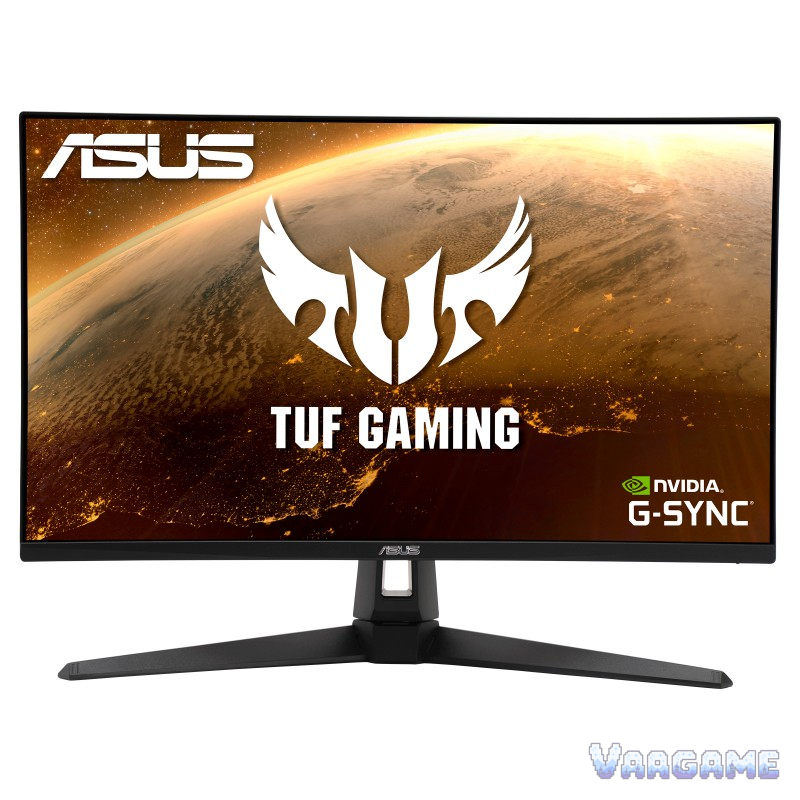
At $229.00, the ASUS TUF Gaming VG27AQ1A is worth buying only for one kind of buyer: a 1440p PC gamer who wants a wide-gamut 170 Hz panel, connects over DisplayPort, and either uses a monitor arm or does not care that the stand cannot change height. For everyone else, the same $229 buys a worse deal than its own older sibling, because this monitor trades away brightness and stand adjustment to gain gamut and 5 Hz, and its sRGB mode comes with a forum-reported catch that colour-critical buyers must test before the return window closes. Buy it for the wide gamut and the 170 Hz ceiling at a tracker price below the $285.02 tracker average; do not buy it for out-of-box colour accuracy, for a bright room, or for a desk where the screen height must move.
Method note: this is a reputation review, not a hands-on test. It synthesizes a pricehistory.app tracker sample of 1,366 ratings at 9.2 out of 10 for the VG27AQ1A listing, a buyer guide pick naming this model the best overall QHD option, a Blur Busters forum thread in which a VG27AQ1A owner reports returning the monitor, and a Tomshardware forum thread in which a VG27AQ1A owner worries about image sharpness. The tracker 9.2 figure is a tracker-converted score, not an Amazon star rating, and it is never added to any other count. No VG27AQ1A-specific Reddit main thread was verified for this review, and that gap is stated plainly rather than filled with threads about the VG27AQ, VG27AQA1A, or VG27AQL1A. Model confusion is the main trap in this family, so every fact below is for the VG27AQ1A (IPS, 170 Hz, DisplayPort 1.2, HDMI 2.0) only: the VG27AQA1A is a VA panel, the VG27AQL1A adds DisplayHDR 400, and the VG27AQ is the older 165 Hz model, and none of their reviews, prices, or ratings are carried across here.
This guide contains affiliate links. If you buy through them, Vaagame may earn a commission at no extra cost to you.
Quick answer
Verdict: buy at $229 if you want wide-gamut 170 Hz at 1440p and use DisplayPort plus a monitor arm; otherwise the older VG27AQ at $234 is the safer buy
Praised: the 1440p 170 Hz sweet spot, wide 130 percent sRGB gamut, IPS viewing angles, G-SYNC Compatible plus FreeSync Premium, and built-in speakers
Complained about: oversaturated colour out of the box, a dimmer 250-nit panel, no height adjustment on the stand, and an sRGB mode that forum owners say locks overdrive
Setup reality: use DisplayPort, switch on the 170 Hz overclock in the menu, test the sRGB mode before the return window closes, and plan a monitor arm if your desk needs height changes
Price rule: $229 is at the list price and below the $285.02 tracker average but far above the $149.00 tracker low; under $200 is the strong buy, over $250 is a wait
At a glance
Product: ASUS TUF Gaming VG27AQ1A, 27-inch QHD gaming monitor (IPS 170 Hz model, not VG27AQ, VG27AQA1A, or VG27AQL1A)
Panel: 27-inch IPS, 2560 x 1440, 130 percent sRGB, 96 percent DCI-P3 on the ASUS eShop spec page, 250 cd/m2 typical brightness, 1000:1 typical contrast, 178-degree viewing angles (ASUS official)
Speed: 144 Hz native, up to 170 Hz over DisplayPort only, 1 ms MPRT, ELMB blur reduction, G-SYNC Compatible, FreeSync Premium, Adaptive-Sync
Ports: DisplayPort 1.2 x 1, HDMI 2.0 x 2, earphone jack, 2W x 2 speakers; no USB hub and no USB-C video on the spec sheet
Stand: tilt plus 20 to minus 5 degrees, swivel plus or minus 20 degrees, no height adjustment, no pivot, VESA 100 x 100 mm
Owner sample: 1,366 tracker ratings at 9.2 out of 10 (pricehistory.app, tracker-converted, not an Amazon star rating) plus a buyer guide pick, a Blur Busters forum thread, and a Tomshardware forum thread
Price (October 31, 2026, tracker-checked): $229.00 in stock, $285.02 tracker average, $149.00 tracker low (April 8, 2025), $229.00 tracker list price
Last verified: October 31, 2026
Specifications (ASUS official)
Swipe horizontally to view all columns.
| Spec | VG27AQ1A |
|---|---|
Panel and resolution | 27-inch IPS, 2560 x 1440 (QHD), 16:9, anti-glare, 0.233 mm pixel pitch |
Refresh rate | 144 Hz native, up to 170 Hz max (DisplayPort only; HDMI 48 to 144 Hz, DisplayPort 48 to 170 Hz VRR range) |
Response time | 1 ms MPRT with ELMB; Trace Free overdrive in the on-screen menu |
Colour and brightness | 130 percent sRGB, 96 percent DCI-P3 (ASUS eShop spec page), 1073.7M colours (10 bit), 250 cd/m2 typical brightness, 1000:1 typical contrast, HDR10 support |
Sync | G-SYNC Compatible, FreeSync Premium, Adaptive-Sync, ELMB blur reduction |
Ports and audio | DisplayPort 1.2 x 1, HDMI 2.0 x 2, earphone jack, 2W x 2 speakers |
Stand and mounting | Tilt plus 20 to minus 5 degrees, swivel plus or minus 20 degrees, no height adjustment, no pivot; VESA 100 x 100 mm |
Size and weight | 61.50 x 45.50 x 21.40 cm with stand, 5.4 kg with stand, 4.3 kg without stand |
Power and extras | Under 35W in use; DisplayPort cable, power adapter and cord, quick start guide, warranty card; 3-year manufacturer warranty |
Console output | PS5: Full HD at 120 Hz and 1440p at 60 Hz; Xbox Series X/S: Full HD and 1440p at 120 Hz VRR (ASUS official) |
1. The verdict: the wider-gamut sibling that gives up the stand and the brightness
Buy the VG27AQ1A if you play at 1440p over DisplayPort, you like saturated colour or you work with wide-gamut content, and your desk already has a monitor arm or a fixed eye height that happens to match this stand. What you get for $229 is the same 27-inch 1440p IPS idea as the older VG27AQ, pushed to 170 Hz and stretched to 130 percent sRGB, at a price below the $285.02 tracker average and equal to the list price. A buyer guide still names this model its best overall QHD pick, which matches the tracker sample of 1,366 ratings at 9.2 out of 10, and the gaming feature set is complete: adaptive sync for both NVIDIA and AMD cards, ELMB blur reduction, Shadow Boost for dark scenes, GamePlus crosshairs and timers, and built-in speakers for voice chat without a second purchase. Skip it if your desk needs the screen to move up and down, because this stand tilts and swivels and does nothing else, and skip it if you watch or work in a bright room, because 250 nits is a step down from the older model 350 nits and the HDR10 badge is even less meaningful here than it was there. The honest middle case is a buyer choosing between the two TUF siblings at nearly the same price: the VG27AQ1A wins on gamut and refresh ceiling, the VG27AQ wins on brightness, stand, and out-of-box colour sanity, and the $5 gap between $229 and $234 does not decide anything. Choose by the trade, not by the price tag.
For 1440p PC gamers who like saturated colour: the wide gamut is the reason this model exists
For DisplayPort gamers at 144 to 170 Hz: the full refresh ceiling needs DisplayPort, and HDMI stops at 144 Hz
For monitor-arm desks: the missing height adjustment stops mattering the moment the arm takes over
For console-plus-PC desks: PS5 1440p at 60 Hz and Xbox 1440p at 120 Hz VRR are both supported, with limits in section 5
Not for height-adjustment desks: tilt and swivel only, no height, no pivot, and the forum verdict on the stand is blunt
Not for colour-critical work out of the box: oversaturation and the sRGB-mode catch in section 6 must be tested first
Not for bright rooms: 250 nits typical brightness is a step below the older VG27AQ and below the HDR400 sibling
2. What owners and guides keep praising
The size and resolution combination is the praise that never goes away, and it is the same praise the older VG27AQ earned: at 27 inches and 1440p, text and game detail are sharp without the scaling headaches of 4K, and a buyer guide calls this model the best overall QHD option on exactly that balance of size, resolution, and price. The wide gamut is the praise unique to this model: 130 percent sRGB with 96 percent DCI-P3 on the ASUS eShop spec page gives games and video a more vivid look than the older model 100 percent sRGB panel, and owners who like saturated colour describe it as the visible upgrade. The refresh ceiling is the second model-specific praise: 170 Hz over DisplayPort, with a 48 to 170 Hz variable-refresh range, gives fast shooters and racing games a smoother ceiling than the older model 165 Hz, and the FreeSync Premium badge plus G-SYNC Compatible certification mean both AMD and NVIDIA owners get adaptive sync rather than a single-vendor feature. The IPS viewing angles are the quiet praise: 178 degrees both ways, so a second person can read the screen without colour shift, which matters on a desk where the monitor is also a shared screen. The gaming extras get practical praise rather than hype: Shadow Boost brightens dark corners without blowing out bright areas, GameVisual presets cover racing, MOBA, cinema, RTS and RPG, FPS, sRGB, and scenery in one hotkey menu, GamePlus adds crosshairs and timers, and the 2W speakers cover voice chat and videos without a second purchase. Finally, the console output is a real, documented convenience: PS5 at 1440p 60 Hz and Xbox Series X/S at 1440p 120 Hz VRR are both supported on this model, so a single screen can serve a PC and a console without a resolution compromise on the Xbox side.
3. What owners and forums keep complaining about
Oversaturated colour is the complaint that defines this model, and it comes with a named witness rather than a vague feeling. A Blur Busters forum owner who tried the VG27AQ1A after an older ASUS panel returned it, calling the colours fake and the brightness bad, and judging it worse than the VG27AQ it was supposed to replace. The same owner adds the two details that turn a taste complaint into a testable problem: the sRGB mode locks the overdrive settings, which is exactly the wrong combination for a player who wants accurate colour and clean motion at low frame rates, and the stand is quite bad. A Tomshardware forum owner adds a second, independent complaint from the other end of the picture: the image does not look sharp enough, with letters and in-game images softer than expected, and the thread advice is to spend time in the on-screen menu, try settings one by one, and reinstall the GPU drivers cleanly before blaming the panel. Brightness is the specification complaint that backs both forum reports: 250 nits typical is a low ceiling for a gaming monitor in 2026, it sits below the older VG27AQ at 350 nits, and it explains why HDR10 here is a badge rather than an experience, with no local dimming and no DisplayHDR certification on this model. Backlight bleed is the panel-lottery complaint: the same Blur Busters owner reports some backlight bleed alongside the colour complaint, which is the standard IPS pattern a buyer should test on a black screen in a dark room during the return window rather than discover later. The stand is the ergonomic complaint: tilt and swivel only, no height adjustment, no pivot, which is a downgrade from the older VG27AQ fully adjustable stand and a real cost for any desk where two people of different heights share one screen. The port selection is the age complaint, shared with the older model: DisplayPort 1.2 only, HDMI 2.0 only, no USB hub, and no USB-C video, so a modern laptop dock setup needs adapters and a separate hub.
4. Setup and software: what owners actually go through
There is no required ASUS software to install, which is good news, and the fiddling is all in the on-screen menu, the GPU control panel, and the optional DisplayWidget Lite utility, which is where owners actually spend their first hour. ASUS offers DisplayWidget Lite version 1.0.5.0, dated July 21, 2021 and marked Windows 11 compatible, for changing settings from inside the operating system instead of the monitor buttons, and owners who prefer buttons can ignore it entirely.
Step 1, cable: use the included DisplayPort cable, because HDMI at this resolution stops at 144 Hz and cannot reach 170 Hz at all
Step 2, overclock: open the monitor menu, switch on the overclocking option, and only then select 170 Hz in Windows or the GPU control panel, because the 170 Hz option does not appear until the menu toggle is on, and ASUS notes that overclock performance depends on the graphics card and content
Step 3, adaptive sync: enable G-SYNC in the NVIDIA control panel or FreeSync on AMD, confirm the variable-refresh range shows 48 to 170 Hz over DisplayPort, and test with a game rather than the desktop, since tearing only shows up in motion
Step 4, colour test: switch GameVisual to sRGB and check two things on purpose, accurate colour on photos and motion smoothness at low frame rates, because a forum owner reports the sRGB mode locks overdrive, and that combination is the one to catch inside the return window
Step 5, sharpness check: if letters look soft, confirm Windows is actually outputting 2560 x 1440 rather than a scaled resolution, then reinstall the GPU drivers cleanly, because that is the forum advice given to a VG27AQ1A owner with exactly this complaint, and only then judge the panel
Step 6, height decision: set the screen height with books, a riser, or a VESA arm before the return window closes, because the stand itself cannot move up or down, and a desk that needs height changes will not get them from this stand
Step 7, bleed test: show a black screen in a dark room in the first week and exchange the unit if bleed or a dead pixel is visible, because that is a panel case, not a settings problem to keep grinding on
5. Second use: a wide-gamut work and console screen, with two limits
This section exists because a monitor is not only a game screen, and the VG27AQ1A second use is good enough to judge on its own rather than as an afterthought. For office work, documents, and photo browsing, the case is real but conditional: 1440p at 27 inches packs roughly 77 percent more pixels than 1080p (2560 x 1440 versus 1920 x 1080), IPS viewing angles mean a second person can read the screen without colour shift, and the wide gamut makes photos and video look vivid without any extra hardware. The console case is documented rather than assumed: PS5 output at 1440p 60 Hz and Xbox Series X/S output at 1440p 120 Hz VRR are both listed by ASUS, so this screen can sit between a PC and a console without forcing the Xbox side down to 1080p. The two limits are equally concrete. First, the wide gamut that makes games vivid makes colour-critical work unreliable until the sRGB mode is tested, because oversaturation flatters photos while it misleads edits, and the forum-reported overdrive lock in sRGB mode means the accurate-colour setting and the clean-motion setting may not coexist. Second, the stand and the ports are a work-desk tax: no height adjustment means a shared desk cannot adapt to two users without an arm, no pivot means portrait documents need a different screen, and no USB-C video or USB hub means a laptop setup needs a separate dock. So the honest second-use verdict is: a good single-monitor desk for one person doing games plus general work and console play, and a poor choice as a shared colour-review screen or a laptop-dock centrepiece.
6. Hidden-concern check: wide gamut versus accurate colour, and what ASUS actually answers
The specific problem: a wide-gamut panel shows sRGB content oversaturated unless it is clamped, and the clamp on this monitor comes with a reported cost. A Blur Busters forum owner reports that the VG27AQ1A sRGB mode locks the overdrive settings, so a buyer who switches to sRGB for accurate colour also gives up control of motion handling, and the same owner reports that the combination looked worse than the older VG27AQ and led to a return. The failure is reproducible in one test: open a photo with known skin tones in the default Racing or wide-gamut mode, switch GameVisual to sRGB, and then check both colour and low-frame-rate motion, because the complaint is not that sRGB looks wrong, it is that sRGB plus locked overdrive behaves wrong. The brand-level recurrence evidence is the family pattern rather than a single unit: the older VG27AQ drew the same class of complaint about overdrive behaviour changing with frame rate, and the VG27AQ1A forum report extends that pattern into the colour-mode interaction, which is why this review treats it as a model trait to test rather than a one-off defect. The official response: ASUS answers this at the feature level, not with a fix, by offering seven GameVisual presets including sRGB and by offering the DisplayWidget Lite utility for changing settings from the operating system, but no firmware update or automatic overdrive adjustment for this model was found in this review, and the sRGB lock itself is not addressed in the ASUS feature pages read. The scope: this affects colour-critical buyers and low-frame-rate variable-refresh players, who are exactly the buyers most likely to live in sRGB mode; it does not affect a player who stays in the default wide-gamut mode at high frame rates, and it does not make the monitor defective. The honest reading is that the VG27AQ1A asks its owner to choose between vivid colour and controlled motion in a way the spec sheet never states, and the $229 price is, in part, payment for accepting that choice. Buyers who will not make that choice should buy a monitor with a tested sRGB clamp instead, even at a higher price.
7. Common issues and what to do about them
Swipe horizontally to view all columns.
| Issue | What owners and forums report and what to do |
|---|---|
170 Hz option does not appear | The overclock toggle in the monitor menu must be on first, and the connection must be DisplayPort. HDMI at this resolution caps at 144 Hz. |
Colours look fake or oversaturated | Expected on a wide-gamut panel without clamping. Switch GameVisual to sRGB, then test low-frame-rate motion too, because a forum owner reports sRGB locks overdrive. |
Image looks soft, letters not sharp | Reported by a Tomshardware forum owner. Confirm Windows outputs 2560 x 1440, try menu settings one by one, and reinstall GPU drivers cleanly before judging the panel. |
Screen height is wrong and cannot move | Expected: the stand has no height adjustment. Fix it with a riser or a VESA arm before the return window closes; the stand will not fix it. |
HDR looks washed out or no different | Expected on this panel: 250 nits and no local dimming cannot show real HDR, and this model has no DisplayHDR certification. Use SDR GameVisual modes for games. |
Backlight bleed or a dead pixel in week one | Panel-lottery case, reported by a forum owner for this model. Test on a black screen in a dark room inside the return window and exchange the unit. |
Tearing despite adaptive sync | Check the cable, the menu overclock toggle, and the GPU panel setting in that order. Test in a game, not on the desktop. |
8. How it stacks up against nearby monitors
Swipe horizontally to view all columns.
| Option | What it offers | Trade-off |
|---|---|---|
ASUS TUF VG27AQ1A (this review) | 27-inch QHD IPS, 170 Hz over DisplayPort, 130 percent sRGB, tracker price $229.00 | No height adjustment, 250 nits, sRGB mode reportedly locks overdrive, no USB hub |
ASUS TUF VG27AQ (older sibling) | 27-inch QHD IPS, 165 Hz over DisplayPort, 100 percent sRGB, fully adjustable stand, 350 nits, tracker price $234.00 | Manual overdrive tuning, HDR in name only, DisplayPort 1.2 and HDMI 2.0 only; covered in our earlier reputation review |
ASUS TUF VG27AQL1A | Same 27-inch QHD idea at 170 Hz with DisplayHDR 400 and a fully adjustable stand, tracker price $269.99 | About $41 more than the VG27AQ1A, and a different model with its own listing and ratings |
LG UltraGear 27GS93QE-B OLED | 27-inch QHD OLED at 240 Hz, tracker low $499.99, covered in our earlier reputation review | Roughly double the VG27AQ1A price for true blacks and a faster panel |
A newer Fast IPS 1440p monitor | Adaptive overdrive, HDMI 2.1, USB-C, height adjustment, and a USB hub on current models | Higher price than $229 for convenience the VG27AQ1A asks its owner to supply by hand or by arm |
9. Price and buying advice
At the October 31, 2026 tracker snapshot, this is a fair price, not a deal: $229.00 in stock, against a $285.02 tracker average, a $149.00 tracker low from April 8, 2025, and a $229.00 tracker list price. Read the price honestly, because $229.00 at the list price sounds unremarkable until the average is checked: the tracker average is $285.02, which means $229 is below what this monitor has typically sold for, while the tracker low of $149.00 was an April 2025 event with repeated drops to $149.00 that month, followed by a usual trading band of roughly $176 to $215 through 2025 and into April 2026, when the price last dropped from $225.00 to $212.51. The ASUS eShop page points the same way, listing $229.00 in stock with a 3-year manufacturer warranty, which confirms the tracker figure is a real store level rather than a stale listing. The buying rule follows from that band: under $200, buy without hesitation if the rest of this review fits you, because $176 to $199 has been visited repeatedly; at $200 to $240, buy if you need a monitor now, because $229 is inside the normal band; over $250, wait, because $249.00 has been a recurring level and $229.00 is the list price, not a sale to chase. One trap to avoid this week: the VG27AQ at $234.00, the VG27AQA1A at $234.99, and the VG27AQL1A at $269.99 are different models with different panels, prices, and ratings, so do not plan a purchase around a sibling price for a VG27AQ1A box, or carry the VG27AQ1A tracker sample across to a sibling. Buy the VG27AQ1A IPS model, ASIN B08CZ8QJTX, and do not carry its price or ratings across to the VA VG27AQA1A, the HDR400 VG27AQL1A, or the older VG27AQ, which are separate listings. — Check price on Amazon: See at Amazon
10. Rating-bias check: why a 9.2 should not be read as a star rating
This review does not award its own score, and its relationship to the subject is stated up front: this is a synthesis of public owner feedback and forum reports, not a hands-on test, and the author has no relationship with ASUS beyond reading its public pages. Even so, the headline number still has to be questioned, because it flatters the monitor. The 9.2 out of 10 is a tracker-converted figure from 1,366 ratings, not an Amazon star average, and a converted score hides the shape of the feedback: it cannot show how many owners gave 5 stars and how many gave 1 star, and it cannot show that the most enthusiastic owners are the ones who sought out a wide-gamut TUF monitor in the first place. The sample also skews toward buyers who stayed: the Blur Busters owner who returned the monitor over colour and brightness is exactly the kind of buyer whose view a ratings average undercounts, while owners who kept it for the gamut and the refresh ceiling are the ones still counted years later. The hesitation that keeps this review honest is the stand plus colour combination: even if every praise point above is true, a monitor that needs a monitor arm for height and an sRGB test for colour is a worse everyday buy than its own reputation suggests for a buyer who wants one screen to just work. That is why the verdict is tied to a buyer type and a price, not to a score: for a wide-gamut DisplayPort gamer with an arm at $229, the reputation holds; for a set-and-forget buyer or a colour-critical buyer at any price, it does not.
FAQ
Can I get 170 Hz over HDMI?
No. At 2560 x 1440, HDMI on this monitor caps at 144 Hz, and the 170 Hz overclock is a DisplayPort-only option that must first be switched on in the monitor menu. If your setup is HDMI-only, treat this as a 144 Hz monitor.
Is the VG27AQ1A the same as the VG27AQ?
No. The VG27AQ1A is the 170 Hz wide-gamut model with 130 percent sRGB, 250 nits, and a tilt-and-swivel-only stand. The VG27AQ is the older 165 Hz model with 100 percent sRGB, 350 nits, and a fully adjustable stand. Check the box and the listing model name before paying, and do not carry reviews, prices, or ratings across the two.
Does the stand adjust in height?
No. The VG27AQ1A stand tilts plus 20 to minus 5 degrees and swivels plus or minus 20 degrees, with no height adjustment and no pivot. If your desk needs height changes, budget for a VESA 100 x 100 mm arm before buying.
Is the sRGB mode safe to use for colour work?
Test it before the return window closes. A Blur Busters forum owner reports that the sRGB mode locks overdrive, so check both colour accuracy and low-frame-rate motion in sRGB mode rather than assuming the preset fixes everything. If motion suffers in sRGB mode on your unit, that is a return-or-arm decision, not a setting to keep grinding on.
Should I buy it at $229 or wait?
Buy at $229 if you need a monitor now and the trade in section 1 fits you, because $229 sits inside the normal trading band and below the $285.02 average. Wait for under $200 if you are not in a hurry: the tracker low is $149.00, and this monitor has visited $176 to $199 repeatedly.