

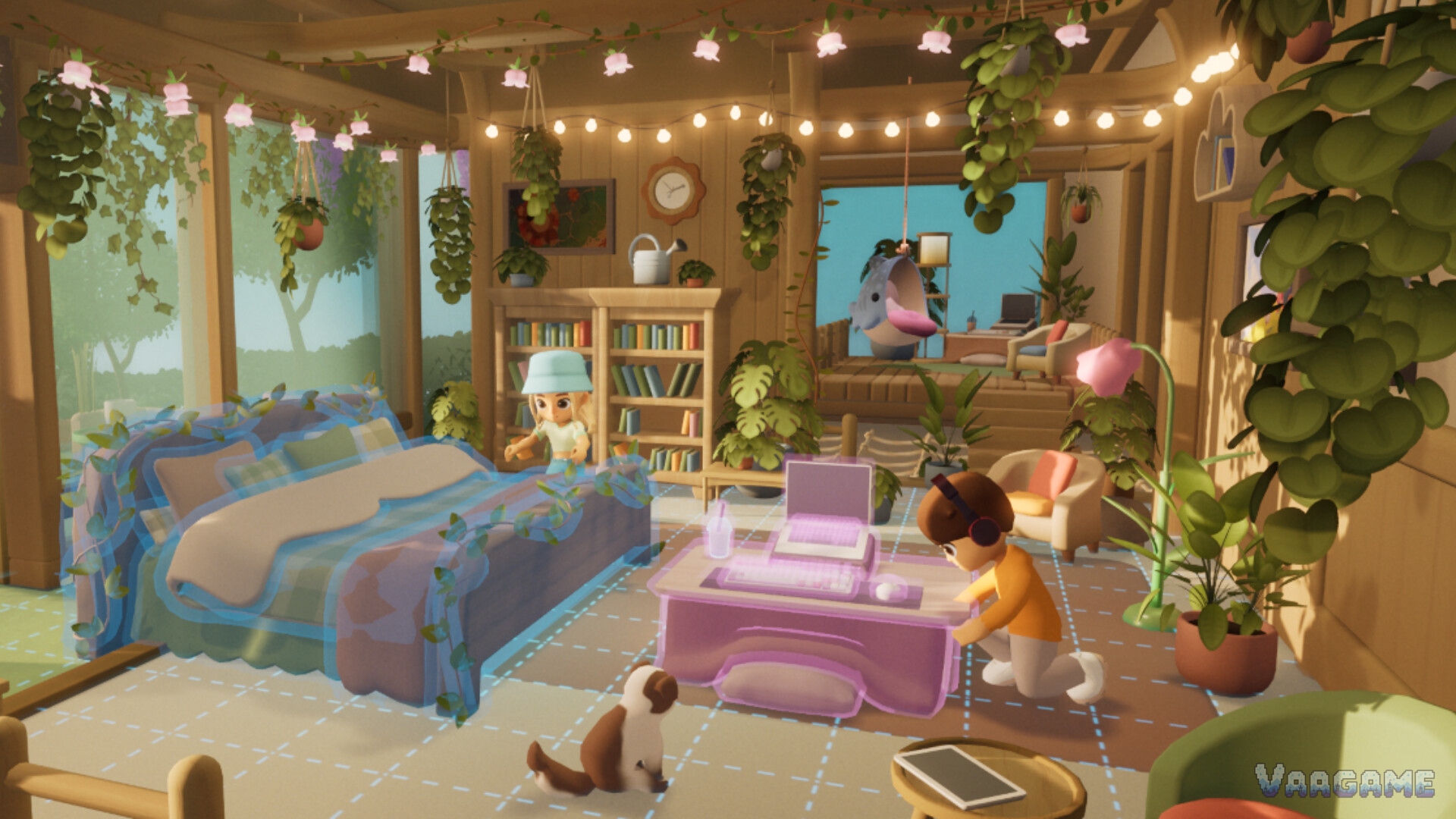
A Loftia home is not a trophy room. It is the place your loop comes home to: the farm is outside, the workbench is nearby, friends visit through it, and the rooms you decorate are the rooms you actually walk through every session. That is why this guide treats decorating as layout first and style second. A beautiful island you cannot work in is a screenshot, and a workable island you love looking at is a home.
Quick answer
Layout first: farm near home, workbench nearby, paths clear, then decorate
Style second: pick one aesthetic you will keep for a week, not five you will redo
Island rule: your island links into neighborhoods, so build for visitors as well as yourself
Official variety: the store promises a super wide variety of options and aesthetics for character and home
At a glance
What you design: a character, a home interior, and your own floating island
Placement: a grid-based placement mode, shown in the official home screenshots
Shared part: islands link up with others to form neighborhoods
Not verified at launch: furniture catalogs, unlock conditions, and item counts are not published in verifiable form
Last verified: November 3, 2026, at the Early Access launch hour
1. Placement: how decorating actually works
The official home screenshot shows the key fact: placement uses a visible grid, and furniture appears as a translucent preview before it lands. That tells you the decorating loop is deliberate rather than freeform chaos: you choose a piece, you see where it goes, and you commit. The practical habit follows from that: place the big pieces first, beds, tables, storage, and workbenches, then fill the gaps with plants, lights, and small decorations. Players who decorate small-first end up moving everything twice, once to admire it and once to make room for the thing they actually needed.
2. Style: pick one you will keep
The official description promises a super wide variety of different options and aesthetics to choose from, for both character and home. Variety is a trap as much as a gift: a home that mixes five aesthetics in one room looks like a catalog, not a place. Pick one direction for the week, a plant-filled wooden home, a bright city apartment feel, a rooftop garden home, and let the furniture, colors, and plants follow it. You can always redecorate, but a home with a direction is a home you recognize when you log in, and recognition is what makes a virtual home feel like yours.
3. Decorating order: work first, beauty second, visitors third
Step 1: work zones, farm plots, workbench, storage, panels, with clear paths between them
Step 2: living zones, a bed, a table, a sitting corner, somewhere to actually spend time
Step 3: beauty passes, plants, lights, wall pieces, one corner at a time
Step 4: visitor thinking, a clear arrival, a place to sit together, a farm friends can reach
Visitor thinking deserves its own step because islands link into neighborhoods. Your island is not a private screenshot; it is a place other players arrive at, walk through, and judge in about ten seconds. A clear bridge or arrival point, a visible home, and a path that does not force visitors through your storage are the difference between an island people visit and an island people leave.
Frequently asked questions
Can I redecorate later?
Yes, placement mode is for arranging and rearranging, and nothing published at launch describes decorating as permanent or costly to undo. Treat your first layout as a draft, not a commitment.
Does decorating affect gameplay, or is it just visual?
Layout affects how smoothly your loop runs: plots, workbench, storage, and panels placed well save walking and waiting. Style itself is self-expression, and the game treats it as collection and creativity, not power.
How do neighborhoods work?
Your own floating island links up with other players islands to form neighborhoods, per the official description. Build with visitors in mind, and expect the neighborhood, not just your island, to be the social unit.