

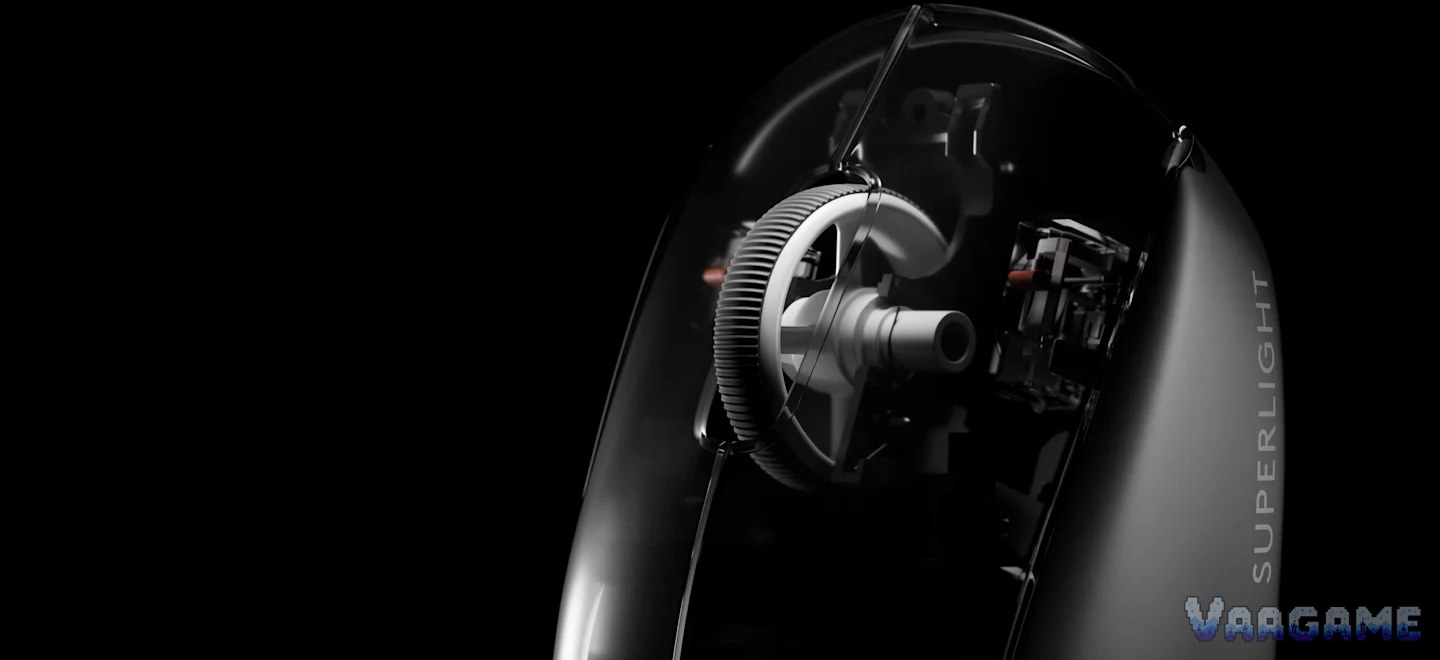
At the $143.85 tracker price, the Logitech G PRO X Superlight 2 (Black) is worth buying for one kind of buyer: a competitive FPS player who already likes the plain, symmetrical Superlight shape, wants a 60 g wireless mouse with a top-tier sensor, and will test the scroll wheel hard in the first weeks. For that buyer, $143.85 sits $35.62 below the $179.47 tracker average and $16.14 below the $159.99 list price, while the HERO 2 sensor, the 95-hour battery claim, and the LIGHTFORCE clicks are exactly what owners and reviewers keep praising. It is not a buy for anyone shopping on price alone, because a $29.99 G305 or a $20-class DeathAdder Essential covers the same games for far less, and it is not a fit-and-forget purchase, because the scroll wheel reversing direction is the recurring complaint across the Superlight line and must be checked before the return window closes. Buy it at or below about $145 only if the shape is already your shape, and run the scroll test in section 7 in week one.
Method note: this is a reputation review, not a hands-on test. It synthesizes the pricehistory.app tracker page for the black listing (2,464 ratings converted to 8.8 out of 10, checked November 2, 2026), the Logitech G store page for this model (524 reviews at 4.66, checked November 2, 2026), the RTINGS user discussion thread for the Superlight 2, and independent reviews and long-term write-ups, plus the Logitech G official product page for specifications. The tracker 8.8 out of 10 is a tracker-converted score, not an Amazon star rating, and it is never added to any other count. No Superlight 2 specific Reddit main thread was verified for this review, and that gap is stated plainly; the community discussion here comes from the RTINGS discussion thread, not from Reddit. The DEX variant and the original Superlight are different shapes and models, and any point taken from them is labelled as such rather than carried across silently. No star-distribution percentages were counted, so none are given. The $15,901.16 tracker high is an obvious marketplace outlier and is ignored, not quoted as a price. Every price and sample figure below is for the black symmetrical Superlight 2, model 910-006628, ASIN B09NBWL8J5, only. This review was not given a unit by Logitech, and no hands-on claim is made anywhere in it.
This guide contains affiliate links. If you buy through them, Vaagame may earn a commission at no extra cost to you.
Quick answer
Verdict: buy at $143.85 only if you already like the Superlight shape and play competitive FPS; otherwise the price buys you polish, not a new skill
Praised: HERO 2 tracking with no smoothing, crisp LIGHTFORCE clicks, 60 g weight, and a battery that lasts weeks of play
Complained about: a scroll wheel that can reverse direction, a mushy middle click, no DPI button, and side buttons that feel soft next to the main clicks
Setup reality: install G HUB, update firmware before judging polling, set DPI stages in software because there is no DPI button, and test scroll direction in week one
Price rule: $120 to $145 is fair for this mouse; $99.95 was the tracker low and has not repeated recently; over $160 is a wait, because $159.99 is full list
At a glance
Product: Logitech G PRO X Superlight 2 wireless gaming mouse, black, symmetrical, model 910-006628, ASIN B09NBWL8J5 (not the DEX, not the 2c, not the original Superlight)
Sensor: HERO 2, 100 to 44,000 DPI, over 888 IPS, over 88 G, zero smoothing, acceleration, or filtering claimed (Logitech G official)
Switches: LIGHTFORCE hybrid optical-mechanical switches, rated for 70 million clicks on the official product page
Weight and size: 60 g; 125.0 x 63.5 x 40.0 mm; right-handed symmetrical shape, no left-handed version
Buttons: 5 buttons (left, right, middle click, 2 side buttons); no DPI button, no RGB lighting, no Bluetooth
Wireless and battery: LIGHTSPEED wireless, USB-C charging, up to 95 hours constant motion, POWERPLAY compatible (mat sold separately)
Memory: 1 onboard profile; DPI stages and button assignments live in G HUB software
Owner sample: tracker 8.8 out of 10 from 2,464 ratings (pricehistory.app, November 2, 2026, tracker-converted, not stars), plus Logitech G store 524 reviews at 4.66, RTINGS user discussion, and independent reviews
Price (November 2, 2026, tracker-checked): $143.85 in stock, $179.47 tracker average, $99.95 tracker low (March 5, 2025), $159.99 list price
Last verified: November 2, 2026
Specifications (Logitech G official)
Swipe horizontally to view all columns.
| Spec | Superlight 2 (black, symmetrical) |
|---|---|
Sensor | HERO 2 optical, 100 to 44,000 DPI |
Tracking | Over 888 IPS, over 88 G, zero smoothing, acceleration, or filtering claimed |
Switches | LIGHTFORCE hybrid optical-mechanical, 70 million clicks rated |
Weight and size | 60 g; 125.0 x 63.5 x 40.0 mm |
Buttons | 5 buttons, 2 side buttons, no DPI button |
Wireless | LIGHTSPEED wireless, USB-C charging, 1.8 m USB-A to USB-C cable in the box |
Polling | Up to 8,000 Hz after firmware update; original launch spec was 2,000 Hz, so update before judging |
Battery | Up to 95 hours constant motion; POWERPLAY compatible |
Memory | 1 onboard profile; full settings in G HUB |
What it lacks | No Bluetooth, no RGB lighting, no DPI button, no left-handed version |
1. The verdict: the safe esports pick, priced like one
Buy the Superlight 2 if you already know the Superlight shape works for your hand and your games are the kind where tracking mistakes cost rounds. What you get for $143.85 is the second generation of the most copied shape in competitive FPS: a plain 60 g shell with nothing to snag a grip, a HERO 2 sensor that reviewers describe as flawless at the DPI ranges players actually use, and LIGHTFORCE main clicks that long-term users call the most tactile clicks on the mouse. The battery removes the usual wireless worry too, with Logitech claiming up to 95 hours of constant motion, so a player who charges once a week is not living on the edge. Skip it if your hand has never liked a symmetrical mouse, because no sensor fixes a shape fight, skip it if you are left-handed, because there is no left-handed version at all, and skip it if $143.85 is a stretch, because the games do not change: a G305 at $29.99 and a DeathAdder Essential at about $20 to $30 play the same shooters, and the extra money here buys weight, wireless polish, and tournament pedigree, not a higher rank. Skip it as a blind buy too: the scroll wheel problem in section 6 is real enough that the first week must include a deliberate scroll test, and a buyer who discovers it after the return window has turned a fair price into a repair story. The honest middle case is a returning Superlight player buying the shape again at a below-average price: the reputation holds, and the mouse disappears into the hand the way a competitive mouse should; a first-time buyer paying full list for a shape they have never held is paying the highest price for the least certainty.
For competitive FPS players: a proven shape, a sensor with no smoothing claim, and clicks built for thousands of rounds
For palm and relaxed-claw players with medium to large hands: the 125 mm symmetrical shell is made for that grip
For wireless players who hate charging: 95 hours of constant motion means a weekly charge, not a nightly one
For tournament and LAN players: LIGHTSPEED wireless, USB-C, and one onboard profile for a second machine
Not for left-handed players: the shape is right-handed only, with no mirrored version
Not for small hands using claw or fingertip: reviewers note small hands struggle with claw or fingertip on this shell
Not for budget buyers: $143.85 is fair for this mouse, but it is five times a G305, and the games are the same
2. What owners and reviewers keep praising
Sensor tracking is the praise that shows up first, and it is given in practical terms rather than spec-sheet terms. Independent reviews describe the HERO 2 as flawless at the DPI ranges competitive players actually use, with no acceleration or tracking errors to blame for missed shots, and the official zero smoothing, acceleration, or filtering claim is the reason players trust it rather than a number they quote. Click feel is the second praise: the LIGHTFORCE hybrid switches are called crisp and responsive, and a four-month long-term write-up calls the left and right clicks the most tactile clicks on the mouse, with a clean, immediate break that cheaper switches do not match. Weight is the third praise, and it is unusually concrete: 60 g is light enough that long sessions tire the wrist less, and independent measurements land at 59.5 to 59.9 g, so the official figure is not a rounding trick. Battery is the fourth praise: up to 95 hours of constant motion means most players charge weekly, and the USB-C port plus POWERPLAY compatibility remove the old micro-USB and battery-swapping complaints from the first generation. Shape is the fifth praise, with a qualification that belongs in the verdict rather than here: the plain symmetrical shell is the shape pro players already know, which is why it is praised as familiar rather than exciting, and why a player who has never held one should try the shape before paying for the sensor inside it.
3. What owners and reviewers keep complaining about
The scroll wheel is the complaint that tempers every other praise, and it gets its own full section as section
6. The middle click is the second complaint: a four-month long-term write-up calls it stiff and underwhelming for repeated presses, and a review of the DEX variant, which shares the Superlight 2 wheel design, calls the middle click mushy and inconsistent, so a player who middle-clicks constantly in games or CAD work will feel this daily. The missing DPI button is the third complaint, and it is a design choice rather than a defect: there is no button on the mouse to switch DPI, so every DPI change runs through G HUB or a remapped button, and a player who switches DPI mid-game has to give up a button to get that function back. The side buttons are the fourth complaint: the same long-term write-up calls them mushy next to the main clicks, like pressing a controller button rather than a mouse button, and while some owners prefer that softer feel, a player who wants side buttons as crisp as the main clicks will be disappointed. The stock feet are the fifth complaint: a long-term review of the compact 2c variant, which shares the Superlight 2 feet approach, calls the stock PTFE feet scratchy next to aftermarket sets and notes that many enthusiasts treat replacement feet as a hidden extra cost, so a buyer chasing the smoothest glide should budget for feet, not just the mouse. Software is the sixth complaint: G HUB is called finicky at first setup by reviewers of both the standard and DEX models, and while it offers deep control over DPI, polling, and profiles, a buyer who wants plug-and-play settings without software will not get them here. The remaining complaints are smaller but concrete: there is no Bluetooth for laptop or phone switching, no RGB lighting for players who want it, only one onboard profile for multi-machine players, and a coating complaint from an owner review in which the pinky-rest area lost its coating to fingernail wear, revealing a smoother texture underneath.
4. Setup and software: what owners actually go through
The mouse works the moment the receiver is plugged in, and the fiddling starts the moment a buyer wants the polling, DPI stages, and profiles that justify the price. Here is the setup sequence, in order, as owners and reviewers describe it. First, plug in the LIGHTSPEED receiver and switch the mouse on, because there is no Bluetooth pairing step and no wired-play mode to fall back on for settings, so the receiver is the whole connection. Second, install Logitech G HUB on the PC, because DPI stages, polling, button assignments, and the single onboard profile all live in G HUB, and reviewers call the first setup finicky rather than instant, so a buyer should budget an evening for it rather than five minutes. Third, update the firmware before judging anything about polling, because the original launch spec was 2,000 Hz and the 8,000 Hz figure arrived through firmware, so a mouse tested on launch firmware will look slower than the same mouse after updating. Fourth, set DPI stages in G HUB and decide which button, if any, becomes the DPI switch, because there is no dedicated DPI button on the mouse, and a player who never makes this decision will discover mid-game that DPI switching costs a side button. Fifth, save one profile to onboard memory and test it on a second machine without G HUB, because only one profile travels with the mouse, and a player with more than one setup needs to know that limit before a tournament rather than during one. Sixth, charge over USB-C and, for POWERPLAY owners, seat the mouse on the mat and confirm charging, because POWERPLAY is sold separately and is not in the box. Seventh, run the scroll test in section 7 across the first week, because the scroll complaints in section 6, when they appear, include both day-one reversals and failures that develop over months, and a buyer who only tests on day one can miss the second kind entirely.
5. Second use: a fine desk mouse, a poor phone-and-laptop mouse
This section exists because a mouse is not only a game controller, and the Superlight 2 second use is good enough to judge on its own rather than as an afterthought. For desk work on one PC, the case is strong: the 60 g weight and plain shape suit long days, the sensor is precise for detailed work, the battery lasts weeks, and the two side buttons cover forward and back in a browser or file manager. The missing links are equally concrete: there is no Bluetooth, so a worker whose day moves between a PC, a laptop, and a phone cannot take this mouse along to the other devices at all, and a worker who switches DPI for design work will miss the dedicated DPI button every time. So the honest second-use verdict is: an excellent single-PC desk mouse for a player who works and games on the same computer, and a poor choice as a multi-device work mouse bought for its switching features.
6. Hidden-concern check: the scroll wheel, and what Logitech actually answers
The specific problem: the Superlight 2 scroll wheel can scroll in the opposite direction from the input, and the complaints cluster into three shapes rather than one. First, reverse scrolling in normal use: an RTINGS discussion user who used the mouse for one year for work and FPS gaming reports the wheel scrolling in the opposite direction multiple times a day, after trying firmware updates and compressed air, and an owner review describes the same reversal developing over a few months until the first scroll of a session goes the wrong way. Second, a loose battery reported alongside the wheel fault: the same RTINGS discussion user reports the battery inside the mouse feeling loose, and says the same loose-battery fault appeared on their first-generation Superlight too, which ties the complaint to the Superlight line rather than to one unit. Third, a predecessor-line pattern: a Tomshardware forum thread about the original Superlight describes the same reverse-scroll fault, and a long-term review of the compact 2c variant notes the Superlight series has a history of scroll-wheel encoder issues with phantom scrolling reported by some users, so the fault is a line pattern to watch, not a surprise limited to one batch. The official response: no statement was found in this review in which Logitech names a Superlight 2 scroll defect or announces a fix for it. What Logitech does answer is at the support level, as reported by a user rather than as a published statement: the same RTINGS discussion user reports that after sending video proof twice, Logitech support said an engineer had already addressed a known issue for the Superlight 2 and that replacement stock was working properly, and that user was given a replacement. That gap is stated rather than papered over: the company replaces units through support without a public defect notice found in this review. The scope: the wheel problem is a unit-and-use variance problem rather than a universal defect, because many owners in the same sources never report it and praise the sensor and clicks for years, and because the worst reports describe individual units rather than every unit. One counter-reading must be blocked before it forms: this is not the same as a bad mouse, because the tracking, weight, and battery praise comes from the same owner pools that report the wheel issues, and it is not the same as a software setting in every case, because owners report the reversal surviving firmware updates and cleaning. The honest reading is that a buyer should test scroll direction in week one, keep the return option open, and treat a replacement through support as the fallback, not as a reason to ignore the test.
7. Common issues and what to do about them
Swipe horizontally to view all columns.
| Issue | What owners and reviewers report and what to do |
|---|---|
Scroll wheel reverses direction | Reported by RTINGS discussion users and owner reviews, surviving firmware updates and cleaning in some cases. Test scroll direction deliberately in week one: scroll down slowly, then fast, in a document and in a game. If the first scroll goes the wrong way repeatedly, use the return window or pursue a support replacement; do not accept it as a setting. |
Loose battery rattle inside the mouse | Reported by an RTINGS discussion user on both the Superlight 2 and the first-generation Superlight. Do not open the mouse to fix it yourself while a return or support case is available; a rattle plus a wheel fault together are a support case, not a DIY fix. |
Middle click feels mushy or stiff | Reported by a four-month long-term write-up and a DEX-variant review sharing the wheel design. Test middle click on day one if you middle-click constantly; if it is a deal-breaker, return it, because no software setting changes the switch feel. |
No DPI button on the mouse | By design, not a defect. Remap a side button to DPI shift in G HUB, or set DPI stages and switch in software before a match; do not buy expecting an onboard DPI button. |
Polling looks low after setup | Original launch spec was 2,000 Hz, with 8,000 Hz arriving through firmware. Update firmware in G HUB and re-check before judging polling, and remember the official store spec table lists a 1,000 Hz base report rate. |
Stock feet feel scratchy | Reported for the Superlight 2 feet approach in a 2c long-term review. Break the feet in on a clean pad first; if glide still disappoints, budget for aftermarket PTFE feet rather than blaming the sensor. |
G HUB feels finicky at first setup | Reported by reviewers of both the standard and DEX models. Install G HUB, update firmware, set DPI stages, save one onboard profile, and test that profile on a second machine before a match. |
Coating wears where the pinky rests | Reported by one owner review, with fingernail wear revealing a smoother texture. Keep nails short on that side and judge the mouse on grip, not on coating cosmetics, unless the wear affects hold. |
8. How it stacks up against nearby mice
Swipe horizontally to view all columns.
| Option | What it offers | Trade-off |
|---|---|---|
Logitech G PRO X Superlight 2 (this review) | 60 g, HERO 2, 95-hour battery, proven symmetrical shape, tracker price $143.85 | Scroll-wheel reversal risk, mushy middle click, no DPI button, no Bluetooth |
Razer Viper V3 Pro (our earlier review) | Lighter at 54 g, 8,000 Hz dongle in the box, tracker price $122.55 in our earlier review | A different symmetrical shape and a different scroll and side-button feel; try the shape first |
Razer DeathAdder V3 Pro (our earlier review) | Ergonomic right-handed shape, 63 g, tracker price $77.77 in our earlier review | Ergonomic, not symmetrical, so it suits a different hand and grip from the Superlight |
Logitech G305 LIGHTSPEED (our earlier review) | AA-battery wireless, HERO sensor, tracker price $29.99 in our earlier review | Heavier with a battery, smaller shape, and a lower sensor ceiling than the Superlight 2 |
Logitech G PRO X Superlight, original (not this review) | The older Superlight shape, recently seen at $65 at Best Buy in a clearance deal | A different, older model with micro-USB and a lower polling ceiling; do not carry this review price across to it |
9. Price and buying advice
At the November 2, 2026 tracker snapshot, $143.85 is a fair price for the right buyer, not a bargain: $143.85 in stock, against a $179.47 tracker average, a $99.95 tracker low from March 5, 2025, and a $159.99 list price. Read the price honestly, because the history cuts both ways: $143.85 sits $35.62 below the average, which is a real saving, but it also sits $43.90 above the tracker low, which means this mouse has been much cheaper and a patient buyer has a reason to wait. The buying rule follows from that band: at $120 to $145, buy if the Superlight shape is already your shape and you have a return window, because the price is below average and below list; at $99.95 to $120, buy without hesitation, because that is the recent floor band; over $160, wait, because $159.99 is full list for a mouse with a documented scroll question. One trap to avoid this week: the $65 Best Buy deal is the original Superlight, not the Superlight 2, and the DEX and 2c are different shapes, so do not plan a Superlight 2 purchase around any of those prices. Buy the black symmetrical model, ASIN B09NBWL8J5, model 910-006628, from a seller with an easy return, and test scroll direction in week one before the return window closes. — Check price on Amazon: See at Amazon
10. Rating-bias check: why an 8.8 tracker score and a scroll warning can both be true
This review does not award its own score, but it still has to explain the gap between its sources. The independent reviews score the tracking experience of a competitive mouse: sensor, clicks, and weight all test well, and a player who never meets the wheel fault will rate this mouse warmly for years. The tracker score of 8.8 out of 10 from 2,464 ratings reflects a longer owner history, including buyers who met the scroll reversal in section 6, which a launch review cannot see. The owner pool also skews in two directions at once: competitive players who live on the shape rate it warmly, while owners hit by a wheel fault rate it harshly, and a single converted number compresses both groups into one neat figure. The hesitation that keeps this review honest is that wheel: even if every praise point above is true, a mouse whose wheel can reverse is a different purchase from a mouse that merely tracks well, and that is why the verdict is tied to a price and to a week-one scroll test, not to a score. At or below $145 and scroll-tested, the reputation holds; at full price and bought blind, it does not. This review also states its own position plainly: it is a synthesis of public owner and reviewer voices, not a hands-on test, and no unit was provided by Logitech, so nothing here should be read as a first-person claim.
FAQ
Is the Superlight 2 good for small hands?
It depends on grip. Palm players with medium to large hands are the intended audience, while reviewers note small hands struggle with claw or fingertip on this 125 mm shell. Small-handed claw or fingertip players should try the shape first, or look at the compact 2c variant, which is a different shape and a different purchase.
Does it have Bluetooth?
No. Connection runs through the LIGHTSPEED receiver only, with USB-C charging, so a player who needs Bluetooth for a laptop or phone needs a different mouse.
Can I switch DPI without software?
Not with a dedicated button, because there is none. DPI stages live in G HUB, or on a button you remap to DPI shift in G HUB, and one profile can be saved onboard for a second machine.
Is the scroll wheel problem on every unit?
No, and that distinction matters. Many owners never report it, and the worst reports describe individual units, but the pattern recurs across the Superlight line, including the original Superlight and the 2c, so test scroll direction in week one rather than assuming your unit is safe.
Is $143.85 a good price, or should I wait?
It is a fair price, not a bargain. The tracker average is $179.47, the list price is $159.99, and the tracker low was $99.95 on March 5,
2025. At $120 to $145, buy if the shape fits; over $160, wait.
Bottom line: a proven 60 g esports shape at a fair tracker price, bought only if the shape is already yours and scroll-tested in week one, not bought blind at full list.