

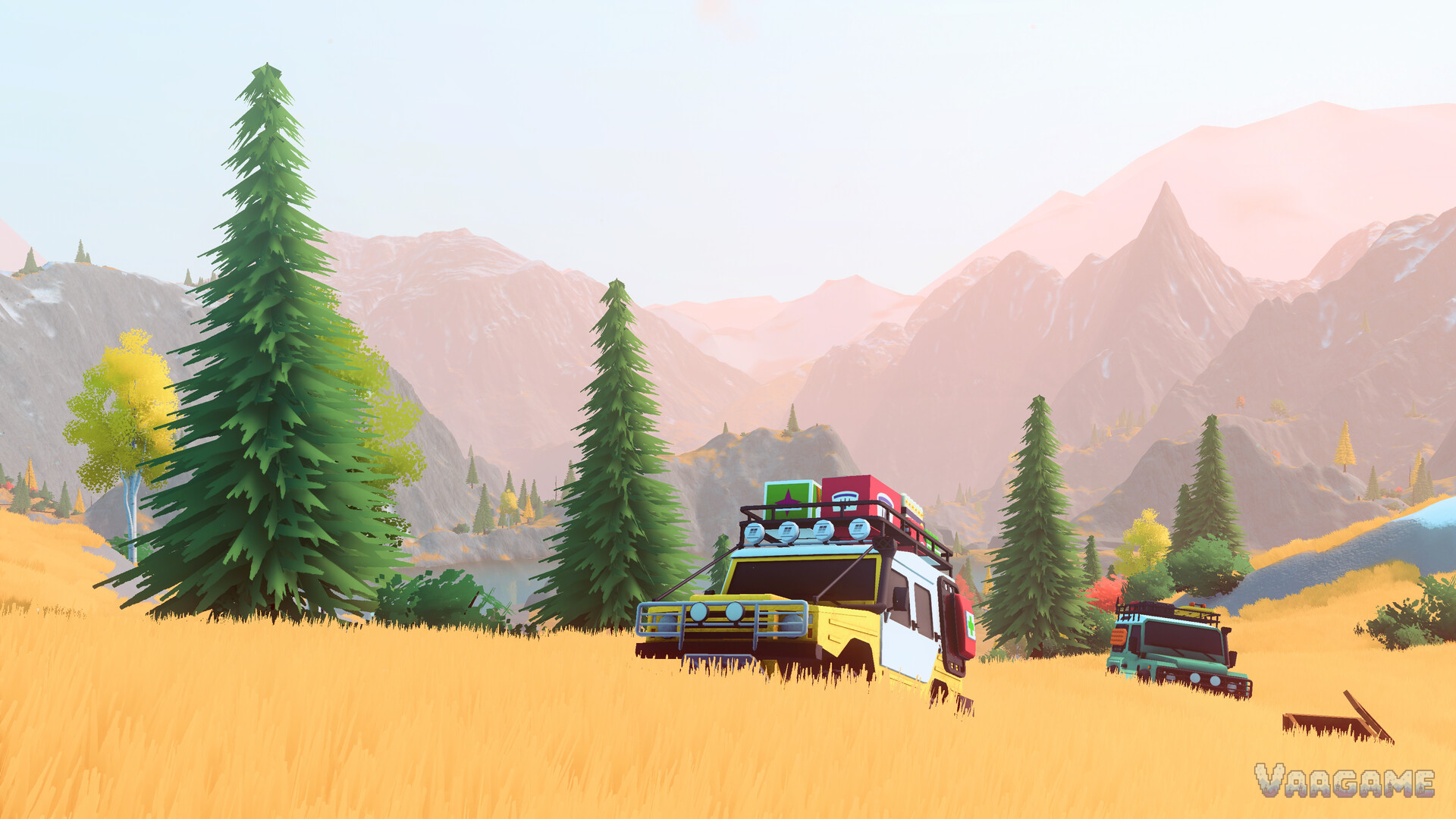
over the hill is a slow off-road exploration game from Funselektor, the studio behind art of rally: you drive classic 1960s–80s 4x4s through two big wilderness regions — the Valhallas mountains in Canada and the Algerian desert — finding cabins, viewpoints, landmarks and fallen meteorites at your own pace. The developer's own summary is the one to trust: this is a driving game, not a racing game. Nothing is timed, nothing is ranked, and the challenge lives in the terrain itself — mud, rock, water and weather. This guide covers the controls that actually matter, your first hour in the starter region of Emerald Lake, the five-piece rescue kit that defines the game, and where your first Pebbles (the in-game currency) should go.
At a glance
What it is: Off-road exploration in classic 4x4s — no races, no timers, no fail states built around speed
Regions: 2 at launch (Canada's Valhallas with 3 areas, the Algerian desert with 2), linked by portals
Players: Solo, or online co-op for 1–4 players in total
Your starter vehicle: A boxy Defender-style 4x4, yours from the first minute
The core skill: Self-recovery — the winch and four support items get you out of anything
Currency: Pebbles, earned from discoveries and objectives, spent on upgrades and equipment
Platforms: PC (Windows and Linux) now, Steam Deck Verified; PS5, Xbox Series X|S and Switch 2 versions follow in 2027
1. Reset your expectations before you start
Funselektor describes over the hill as a driving game rather than a racing game, and the design backs that up at every step. There are objectives — discover places, complete challenge trails, recover lost vehicles — but they exist to give your wandering a direction, and completing them unlocks new vehicles, upgrades and areas. You choose the order, the route and the pace.
It is worth knowing that launch reviews split on exactly this point. The game sits at about 92% positive from more than 2,300 Steam reviews, and the praise is consistent: the world is beautiful and the driving is meditative. The criticism is consistent too — players who arrived expecting a task-driven simulator in the style of SnowRunner found the loop too light. Both camps are describing the same game accurately. If you want a checklist of deliveries, this is a different shape of game; if you want to pick a line up a mountainside and see what is on the other side, you are home.
2. The controls that actually matter
The control scheme is short, and most of it will be familiar from any driving game. Five elements do the real work:
High and low gear. Your gearbox has a high and a low range. Low gear is the off-road answer: slower, stronger, and the mode you want engaged before a climb, a bog or a rock step — not halfway up it.
The handbrake. For holding position on slopes and for tight turns on narrow trails. On steep ground it is a driving tool, not a parking afterthought.
Headlamps. Night and storms cut visibility hard. Your lamps, plus the option to wait out the dark at a cabin (section 5), are how you manage it.
The tilt gauges. The interface shows your vehicle's pitch and roll angles and your heading. Learn to glance at them: they tell you a slope is about to become a rollover a second before your eyes do.
The winch. Important enough to get its own section (section 4).
A gamepad is the recommended way to play — the game has full controller support and was clearly tuned around analogue throttle control. Keyboard driving works, but fine throttle inputs on climbs are noticeably easier on a pad.
3. Your first hour: Emerald Lake
After a brief tutorial, the game sets you loose in Emerald Lake, the first of the three areas in Canada's Valhallas range and the same map players explored in the June demo. Play it as a classroom, in roughly this order:
Drive to your first cabin. Cabins are the game's backbone: they are fast-travel points, and staying at one advances time, which is your cleanest way to skip a night or wait out weather. Reaching one also pays out Pebbles.
Open the map and look at what is marked — and what is not. Discovery is the progression system. Viewpoints, landmarks, crates and points of interest appear as you find them, and each one feeds the unlock chain (section 6).
Pick up a crate. Crates scattered around the world contain cosmetic items — mudflaps, racks, roof gear — that change how your truck looks, not how it drives. They are the game's collect-and-dress-up layer, entirely separate from performance upgrades.
Try one challenge trail, slowly. Challenge trails are the game's set-piece driving tests: a rotting boardwalk over a swamp, a rock-crawl up a pass, a shelf road along a cliff. They step the difficulty up on purpose. Attempting one early teaches you more about the driving model than an hour of open meadow.
Photograph an animal. The in-game camera feeds a wildlife compendium: spot an animal, photograph it, and it is logged. It is a gentle introduction to the camera you will also use for the game's photo mode.
Your starter vehicle — a boxy, Defender-style wagon — is more capable than it looks. Everything in Emerald Lake is beatable with it and the standard kit; new vehicles arrive through objectives as you widen your map.
4. The winch and your five-piece rescue kit
Getting stuck is not a failure state in over the hill; it is the game. Your recovery system has five parts, and learning them early changes how brave your route choices can be:
The winch. Your primary tool. Attach the cable to an anchor point — a tree, a rock, another vehicle — and pull. Anchor high where you can: an upward pull lifts weight back onto the driven wheels instead of dragging the chassis through the mud.
Planks. Carried items you place to bridge gaps and soft spots — the answer to broken boardwalks and washouts.
The jack. Repositions a rolled vehicle. If you have flipped the truck, this is the get-out-of-jail card.
The portable winch point. A placeable anchor for ground with nothing to tie to — bare rock above the treeline is where it earns its slot.
The weather bell. Clears bad weather. Storms turn easy trails into epics; the bell is your one controlled way to say no.
These items live in inventory slots — more slots are themselves an upgrade — and they replenish at campsites, so a hard trail is planned around camp stops the way a real expedition is planned around fuel. This collection's winch guide goes deep on anchor angles and recovery order; the beginner version is one sentence: stop early, winch early, and never let momentum make your decisions for you.
5. Cabins, campsites and people
Three kinds of stops structure your exploring:
Cabins are fast-travel points and beds: stay at one to advance time, and use the network you build to reposition across a region you have already explored.
Campsites are where your carried items replenish. Route planning in over the hill quietly becomes campsite planning on the harder trails.
Merchants and mechanics are where Pebbles turn into progress: vehicle upgrades, equipment, and customisation — colours, accessories and cosmetics. The store description and reviews agree that upgrades and equipment are also found out in the world, so exploration and shopping feed each other.
6. Pebbles and your first upgrades
Pebbles are the currency that discoveries and objectives pay out — reaching a cabin, finding a landmark, hauling a meteorite (yes, you can tow fallen meteorites, and the game tracks them) or finishing an objective all feed the same wallet. Spend in this order:
Performance first: engine, tyres, water protection. Stronger engines and better tyres widen the terrain you can attempt; protection against waterlogging matters because deep water can stall and damage an engine, and the Canadian maps are full of rivers and lakes.
Inventory slots second. An extra slot is an extra rescue option carried at all times — the portable winch point or the jack you left behind is the one you will want.
Cosmetics whenever you like. They cost Pebbles too but change nothing mechanical; buy the roof rack because it makes you happy, not because it helps.
One honest note: exact upgrade prices vary by vehicle and are not something the launch-week guides have reliably documented yet, so treat any precise price list you find elsewhere with suspicion. The priority order above does not depend on prices.
7. Weather, night and water: the three teachers
Three systems will teach you more than any tutorial:
Dynamic weather. Rain slicks rock, storms cut visibility, and conditions can turn mid-route. The weather bell (section
4) is a limited escape; the unlimited one is patience — wait at a cabin.
The day/night cycle. Night driving is lamp-lit and slow by design. Several achievements reward night and dawn driving (and one rewards simply watching the stars), so the dark is content, not just an obstacle — but plan your first nights around known ground.
Water. Rivers and lake edges hide depth. Cross at the shallows, keep momentum steady rather than fast, and respect the waterlogging protection upgrade: a flooded engine in a remote valley is a long recovery.
8. Solo or co-op?
over the hill supports online co-op for up to four players in total — you plus three friends. According to the developer's official FAQ, the structure is friendly to mixed play: objectives can be tackled together (winching each other free, sharing repair help, navigating as a group), but completion is personal — each player has to reach the checkpoint themselves — and unlocks and progress carry between solo and multiplayer sessions, so scouting alone never wastes your evening. There is no split-screen option, per the same FAQ, and no built-in voice chat has been announced, so plan on your usual party chat.
Our take for a first run: learn the basics solo in Emerald Lake — the tutorial pace is yours alone — then bring friends for the challenge trails and the Algerian desert, where a second winch is worth more than any upgrade. This collection's co-op guide covers session setup and how progress works in detail.
FAQ
Is over the hill a racing game? No — the developer states it plainly: it is a driving game, not a racing game. There are objectives and challenge trails, but no races against the clock and no leaderboards to chase.
How many people can play together? Up to four players in total, online. Per the official FAQ there is no split-screen, progress and unlocks are personal to each player, and your progress carries between solo and co-op sessions.
Does over the hill have crossplay? The official FAQ confirms cross-play is planned, but it only becomes relevant when the console versions arrive in
2027. At launch the game is PC-only, so today every convoy is PC players.
Is there a demo? There was: a public demo ran during Steam Next Fest in June 2026 and drew over 500,000 players. It is no longer available, so there is no standing demo to try before buying at the moment.
Does it run well on Steam Deck? The game is Steam Deck Verified, tested at launch with its default configuration rated as performing well. Full controller support is built in, and a gamepad is the recommended way to play on desktop too.
Can I use a steering wheel? Wheel support has not been officially confirmed. The game is built around gamepad controls (analogue throttle matters on climbs), so treat a wheel as a bonus if it works, not a promised feature.
What happens if I roll my truck somewhere remote? That is what the rescue kit is for: the jack repositions a rolled vehicle, the winch and portable anchor pull you out of mud and slopes, and in co-op a friend can winch you free. Getting stuck is a puzzle the game expects you to solve, not a dead end.
Related guides
over the hill Winch Guide: Self-Recovery, Anchor Points and Getting Unstuck
over the hill Upgrades and Equipment: What To Buy First With Your Pebbles
over the hill Co-op Guide: How Multiplayer, Progress and Crossplay Work